


Did Mainframes Just Win? Altair vs. Azure
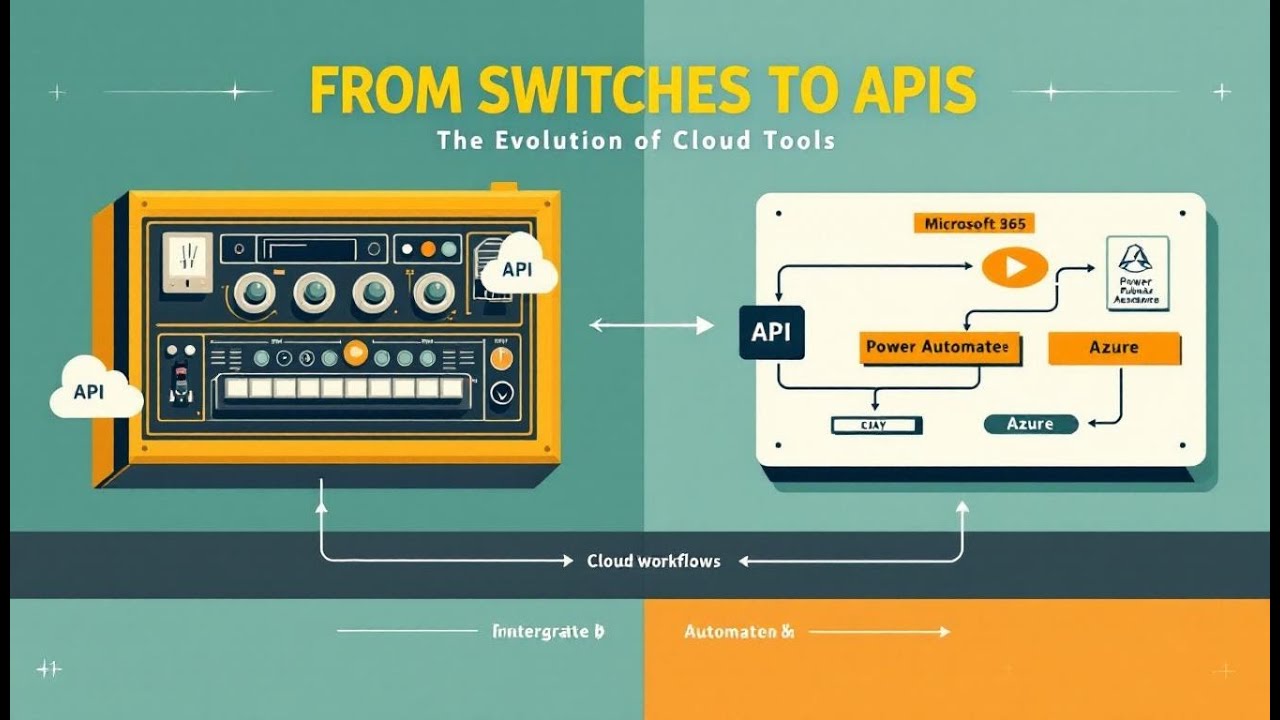
From the Altair 8800’s toggle switches to today’s Azure APIs, the same fundamentals persist: clear intent, shared resources, and networked power. The portal and cloud may feel modern, but the winning habits are timeless—design for constraints, automate for repeatability, and think in systems. Mainframe-style centralization returned as the cloud because shared pools are efficient; the terminal (scripts/CLI) endures because precision and auditability matter. Modern work in Microsoft 365, Power Platform, and Azure is basically “from switches to APIs”: issue a precise request, observe a structured response, and build observability around it. The soft skills—framing intent, communicating flows, documenting decisions—are the multiplier. Put it into practice by converting one manual task into an API call or flow, measure the minutes saved, and keep iterating.


Microsoft Azure Machine Learning vs Altair: A Comparison of Machine Learning Platforms
In today's data-driven world, machine learning is no longer a futuristic concept but a vital tool for businesses across various industries. Choosing the right machine learning platform is crucial for success, and this article aims to compare two prominent options: Microsoft Azure Machine Learning and Altair®. We will delve into their functionalities, strengths, and weaknesses, providing you with the insights needed to make an informed decision for your specific needs.
Introduction to Machine Learning Platforms
What is Machine Learning?
Machine learning (ML) is a subset of artificial intelligence (AI) that focuses on enabling systems to learn from data without being explicitly programmed. These algorithms allow computers to identify patterns, make predictions, and improve their performance over time. From predictive analytics to automated tasks, machine learning is transforming how businesses operate and enhancing their business intelligence capabilities. The ability of machine learning to sift through big data and find insights is invaluable for modern data science.
Overview of Machine Learning Platforms
Machine learning platforms provide a comprehensive environment for data scientists and engineers to build, train, and deploy machine learning models. These platforms typically include tools for data preparation, model development, and deployment. Microsoft Azure Machine Learning and Altair® are two such platforms, each offering unique features and capabilities. Microsoft Azure Machine Learning, deeply integrated with the Azure cloud, provides robust compute and scaling options, while Altair® focuses on high-performance computing and simulation.
Importance of Choosing the Right Platform
Selecting the right machine learning platform is critical for optimizing workflows and throughput. A well-chosen platform can significantly improve productivity by providing user-friendly interfaces, pre-built templates, and tools to automate repetitive tasks. Consider a platform's ability to handle your specific workload and scale effectively as your data and model complexity grow. Comparing Microsoft Azure Machine Learning vs Altair® involves assessing these factors to determine which platform best fits your enterprise's needs. By 2025, the market will continue to mature, making the right choice ever more vital.
Microsoft Azure Machine Learning
Key Features of Microsoft Azure
Microsoft Azure provides a suite of tools and services designed to support the entire machine learning lifecycle, including capabilities for advanced business intelligence. From data preparation to model deployment, Azure offers comprehensive functionality. One of the key features of Microsoft Azure is its scalability, allowing enterprises to handle increasing workloads without compromising performance, especially when using GPU resources. The Azure cloud integrates seamlessly with other Microsoft products and services, providing a unified experience for data scientists. Azure's compute capabilities and integration of Azure Data Lake provide the foundation for robust big data processing and analytics.
Azure Data Lake Integration
The integration of Azure Data Lake with Microsoft Azure Machine Learning offers significant advantages for handling large datasets. Azure Data Lake allows you to store and process vast amounts of structured, semi-structured, and unstructured data in its native format. This integration facilitates efficient data preparation, enabling data scientists to access and transform data more quickly. By leveraging Azure Data Lake, organizations can accelerate their machine learning workflows and derive insights from big data with greater ease. This capability is essential for organizations seeking to optimize their predictive analytics and unlock the value of their data assets through advanced business intelligence tools.
Analytics and AI Capabilities
Microsoft Azure Machine Learning provides a rich set of analytics and AI capabilities, empowering data scientists to build and deploy advanced machine learning models. The platform offers both code-first and low-code options, including drag-and-drop interfaces for those who prefer a more visual approach. This allows for rapid prototyping and iteration, particularly when leveraging Databricks for collaborative development. Azure's AI capabilities extend to various domains, from predictive analytics to natural language processing. With built-in support for popular machine learning frameworks and languages, Azure enables data scientists to leverage the tools and techniques they are most comfortable with, fostering innovation and productivity.
Altair Machine Learning
Overview of Altair's Machine Learning Solutions
Altair® offers a suite of machine learning tools tailored for simulation and optimization. Unlike Microsoft Azure, which spans a broader range of cloud services, Altair® focuses on high-performance computing (HPC) and simulation-driven design. Altair®'s machine learning platform is designed to handle complex simulations, providing predictive analytics capabilities that cater specifically to engineering and manufacturing industries. The goal is to optimize designs and processes through advanced algorithms, simulation techniques, and effective dashboard visualizations. Comparing Altair® vs Azure requires understanding these distinct focuses and how they align with specific enterprise needs.
Simulation and Data Analytics
Altair® excels in simulation and data analytics, leveraging its strong foundation in engineering software. The platform integrates seamlessly with Altair®'s simulation tools, allowing engineers to use machine learning to analyze and optimize complex systems. This is particularly valuable for industries such as automotive, aerospace, and energy, where simulation plays a crucial role in product development. By combining simulation with machine learning algorithms, Altair® enables businesses to predict performance, identify potential issues, and optimize designs more effectively than traditional methods. Data preparation tools are tailored to simulation outputs.
Instant Access to Data
Altair® Grid offers instant access to data and compute resources. This functionality is particularly beneficial for organizations with on-premises HPC clusters or those utilizing hybrid cloud environments for processing big data. Altair®'s platform ensures that data scientists and engineers can quickly access the data they need to train machine learning models and run simulations, reducing bottlenecks and accelerating the development process. The platform also provides tools for data labeling and visualization, facilitating efficient data exploration and analysis. Such access is especially useful when you compare Altair® against cloud-centric platforms.
Comparative Analysis: Azure vs Altair
Performance and Scalability
When comparing Microsoft Azure Machine Learning vs Altair®, performance and scalability are key considerations in the context of data centers. Microsoft Azure leverages the Azure cloud infrastructure to provide extensive scaling options, allowing businesses to handle large workloads with ease. Azure’s compute resources are virtually limitless, making it suitable for organizations with fluctuating demands. Altair®, on the other hand, focuses on optimizing performance for simulation-based machine learning tasks, often utilizing high-performance computing clusters. While Azure offers broader scalability, Altair® is designed for granular control and efficiency in specific simulation contexts. It is important to consider the nature of the workload when deciding on a PaaS solution like Microsoft Azure or Altair.
User Experience and Interface
Microsoft Azure Machine Learning provides a comprehensive user experience with both code-first and low-code interfaces, including drag-and-drop options for model building. This makes it accessible to data scientists with varying levels of coding expertise. Altair®, while powerful, may require a steeper learning curve for those unfamiliar with simulation software. Its user interface is geared towards engineers and analysts who are comfortable with simulation workflows. Both platforms offer visualization tools to help users interpret results, but the overall user experience differs significantly based on the user's background and familiarity with the respective environments. Microsoft documentation also helps.
Cost and Pricing Models
Cost and pricing models are crucial factors when choosing between Microsoft Azure Machine Learning vs Altair®, particularly in relation to their respective PaaS offerings. Azure’s pricing is based on a pay-as-you-go model, where you are charged for the compute, storage, and services you consume. This can be cost-effective for organizations with variable workloads, but it can also be challenging to predict costs accurately. Altair® typically offers subscription-based pricing, which may include licensing fees for its simulation software. The total cost will depend on the specific needs of the enterprise, including the scale of deployments, the complexity of the machine learning models, and the amount of compute resources required. By 2025, these models may evolve with platform maturity.
Use Cases and Applications
When to Use Microsoft Azure Machine Learning
Microsoft Azure Machine Learning is ideal for enterprises seeking scalable and comprehensive machine learning platforms integrated with the Azure cloud. If your organization relies heavily on Microsoft products and requires extensive compute resources, Microsoft Azure provides seamless integration with other Microsoft services like SQL Server and Azure Data Lake. Azure's capabilities in big data analytics, coupled with its broad range of AI services, make it well-suited for diverse workloads, including predictive analytics and automated machine learning model deployment. When you compare Microsoft Azure vs Altair, consider if you need cloud-centric, scalable solutions for processing big data. Microsoft Documentation helps too.
When to Use Altair
Altair® is best suited for organizations that require high-performance computing (HPC) and simulation-driven machine learning. If your enterprise specializes in engineering, manufacturing, or other simulation-intensive industries, Altair® offers specialized tools for optimizing designs and processes. Altair® Grid provides instant access to data for on-premises clusters. Its focus on granular control and efficiency makes it advantageous when dealing with complex simulations. When you compare Altair® vs Azure, consider the importance of simulation to your predictive analytics goals. The Altair platform is perfect if that's your core need.
Industries Benefiting from Each Platform
Several industries benefit from Microsoft Azure Machine Learning, including finance, healthcare, and retail, where scalability and integration are crucial. In contrast, Altair® is predominantly beneficial to industries like automotive, aerospace, and energy, where simulation and optimization are at the forefront. Depending on the industry, it is essential to compare Altair® vs Azure to determine which platform best suits the specific needs. For example, if you are aiming to automate a business process, Azure may be better; if you are working to optimize simulations, Altair® will most likely fit that need.
Conclusion
Summary of Key Takeaways
Throughout this comparison, we have examined Microsoft Azure Machine Learning and Altair®, highlighting their key features, performance, and ideal use cases in the realm of API integration. Microsoft Azure offers broad scalability, integration with other Microsoft services, and accessibility for data scientists with varying levels of coding expertise. Altair® specializes in simulation-driven machine learning, providing high-performance computing solutions for engineering and manufacturing industries. Depending on your enterprise's focus and workload, the choice between these platforms will significantly impact your data science throughput and success.
Final Thoughts on Choosing Between Azure and Altair
In conclusion, the decision between Microsoft Azure Machine Learning vs Altair® hinges on your specific requirements and priorities. If you need a comprehensive, scalable platform integrated with the Azure cloud, Microsoft Azure is the stronger choice. If your focus is on high-performance simulation and optimization, Altair® offers specialized tools and capabilities. By 2025, as machine learning platforms continue to evolve, understanding these distinctions will be crucial for making informed decisions. Carefully assess your needs, consider the user-friendliness, the data preparation, and choose the platform that best aligns with your objectives.
It’s 1975. You’re staring at a beige metal box called the Altair 8800. To make it do anything, you flip tiny switches and wait for blinking lights. By the end of this video, you’ll see how those same design habits translate into practical value today—helping you cost‑optimize, automate, and reason more clearly about Microsoft 365, Power Platform, and Azure systems. Fast forward to today—you click once, and Azure spins up servers, runs AI models, and scales to thousands of users instantly. The leap looks huge, but the connective tissue is the same: resource sharing, programmable access, and network power. These are the ideas that shaped then, drive now, and set up what comes next.
The Box with Switches
So let’s start with that first box of switches—the Altair 8800—because it shows us exactly how raw computing once felt. What could you actually do with only a sliver of memory and a row of toggle switches? At first glance, not much. That capacity wouldn’t hold a single modern email, let alone an app or operating system. And the switches weren’t just decoration—they were the entire interface. Each one represented a bit you had to flip up or down to enter instructions. By any modern measure it sounds clumsy, but in the mid‑1970s it felt like holding direct power in your hands. The Altair arrived in kit form, so hobbyists literally wired together their own future. Instead of booking scarce time on a university mainframe or depending on a corporate data center, you could build a personal computer at your kitchen table. That was a massive shift in control. Computing was no longer locked away in climate‑controlled rooms; it could sit on your desk. Even if its first tricks were limited to blinking a few lights in sequence or running the simplest programs, the symbolism was big—power was no longer reserved for institutions. By today’s standards, the interface was almost laughable. No monitor, no keyboard, no mouse. If you wanted to run a program, you punched in every instruction by hand. Flip switches to match the binary code for one CPU operation, press enter, move to the next step. It was slow and completely unforgiving. One wrong flip and the entire program collapsed. But when you got it right, the front‑panel lights flickered in the exact rhythm you expected—that was your proof the machine was alive and following orders. That act of watching the machine expose its state in real time gave people a strange satisfaction. Every light told you exactly which memory location or register was active. Nothing was abstracted. You weren’t buried beneath layers of software; instead, you traced outcomes straight back to the switches you’d set. The transparency was total, and for many, it was addictive to see a system reveal its “thinking” so directly. Working under these limits forced a particular discipline. With only a few hundred bytes of usable space, waste wasn’t possible. Programmers had to consider structure and outcome before typing a single instruction. Every command mattered, and data placement was a strategic decision. That pressure produced developers who acted like careful architects instead of casual coders. They were designing from scarcity. For you today, that same design instinct shows up when you choose whether to size resources tightly, cache data, or even decide which connector in Power Automate will keep a flow efficient. The mindset is the inheritance; the tools simply evolved. At a conceptual level, the relationship between then and now hasn’t changed much. Back in 1975, the toggle switch was the literal way to feed machine code. Now you might open a terminal to run a command, or send an HTTP request to move data between services. Different in look, identical in core. You specify exactly what you want, the system executes with precision, and it gives you back a response. The thrill just shifted form—binary entered by hand became JSON returned through an API. Each is a direct dialogue with the machine, stripped of unnecessary decoration. So in one era, computing power looked like physical toggles and rows of LEDs; in ours, it looks like REST calls and service endpoints. What hasn’t changed is the appeal of clarity and control—the ability to tell a computer exactly what you want and see it respond. And here’s where it gets interesting: later in this video, I’ll show you both a working miniature Altair front panel and a live Azure API call, side by side, so you can see these parallels unfold in real time. But before that, there’s a bigger issue to unpack. Because if personal computers like the Altair were supposed to free us from mainframes, why does today’s cloud sometimes feel suspiciously like the same centralized model we left behind?
Patterns That Refuse to Die
Patterns that refuse to die often tell us more about efficiency than nostalgia. Take centralized computing. In the 1970s, a mainframe wasn’t just the “biggest” machine in the room—it was usually the only one the entire organization had. These systems were large, expensive to operate, and structured around shared use. Users sat at terminals, which were essentially a keyboard and a screen wired into that single host. Your personal workstation didn’t execute programs. It was just a window into the one computer that mattered. That setup came with rules. Jobs went into a queue because resources were scarce and workloads were prioritized. If you needed a report or a payroll run, you submitted your job and waited. Sometimes overnight. For researchers and business users alike, that felt less like having a computer and more like borrowing slivers of one. This constraint helped accelerate interest in personal machines. By the mid‑1970s, people started talking about the freedom of computing on your own terms. The personal computer buzz didn’t entirely emerge out of frustration with mainframes, but the sense of independence was central. Having something on your desk meant you could tinker immediately, without waiting for an operator to approve your batch job or a printer to spit out results hours later. Even a primitive Altair represented autonomy, and that mattered. The irony is that half a century later, centralization isn’t gone—it came back, simply dressed in new layers. When you deploy a service in Azure today, you click once and the platform decides where to place that workload. It may allocate capacity across dozens of machines you’ll never see, spread across data centers on the other side of the world. The orchestration feels invisible, but the pattern echoes the mainframe era: workloads fed into a shared system, capacity allocated in real time, and outcomes returned without you touching the underlying hardware. Why do we keep circling back? It’s not nostalgia—it’s economics. Running computing power as a shared pool has always been cheaper and more adaptable than everyone buying and maintaining their own hardware. In the 1970s, few organizations could justify multiple mainframes, so they bought one and shared it. In today’s world, very few companies want to staff teams to wire racks of servers, track cooling systems, and stay ahead of hardware depreciation. Instead, Azure offers pay‑as‑you‑go global scale. For the day‑to‑day professional, this changes how success is measured. A product manager or IT pro isn’t judged on how many servers stay online—they’re judged on how efficiently they use capacity. Do features run dependably at reasonable cost? That’s a different calculus than uptime per box. Multi‑tenant infrastructure means you’re operating in a shared environment where usage spikes, noisy neighbors, and resource throttling exist in the background. Those trade‑offs may be hidden under Azure’s automation, but they’re still real, and your designs either work with or against them. This is the key point: the cloud hides the machinery but not the logic. Shared pools, contention, and scheduling didn’t vanish—they’ve just become transparent to the end user. Behind a function call or resource deployment are systems deciding where your workload lands, how it lives alongside another tenant’s workload, and how power and storage are balanced. Mainframe operators once managed these trade‑offs by hand; today, orchestration software does it algorithmically. But for you, as someone building workflows in Microsoft 365 or designing solutions on Power Platform, the implication is unchanged—you’re not designing in a vacuum. You’re building inside a shared structure that rewards efficient use of limited resources. Seen this way, being an Azure customer isn’t that different from being a mainframe user, except the mainframe has exploded in size, reach, and accessibility. Instead of standing in a chilled machine room, you’re tapping into a network that stretches across the globe. Azure democratizes the model, letting a startup with three people access the same pool as an enterprise with 30,000. The central patterns never really died—they simply scaled. And interestingly, the echoes don’t end with the architecture. The interfaces we use to interact with these shared systems also loop back to earlier eras. Which raises a new question: if infrastructure reshaped itself into something familiar, why did an old tool for talking to computers quietly return too?
The Terminal Renaissance
Why are so many developers and administrators still choosing to work inside a plain text window when every platform around them offers polished dashboards, AI copilots, and colorful UIs? The answer is simple: the terminal has evolved into one of the most reliable, efficient tools for modern cloud and enterprise work. That quiet scrolling screen of text remains relevant because it does something visual tools can’t—give you speed, precision, and automation in one place. If you’ve worked in tech long enough, you know the terminal has been part of the landscape since the 1970s. Back then, text interfaces were the only way you could interact with large systems. They were stripped down—no icons, no menus—just direct instructions. When personal computers popularized graphical interfaces in the 1990s, the command line briefly felt like a relic. The future looked like endless windows, buttons, and drag‑and‑drop. But over time, the divide between GUIs and terminals clarified: graphical interfaces win for discoverability, while terminals win for precision and repeatability. That tradeoff is exactly why the terminal quietly staged its return. Look at how people work in cloud environments today. Developers move code with Git commands every day. Admins write PowerShell scripts to batch‑process changes that would take hours by hand. Azure engineers use CLI tools to provision resources because typing a single command and watching it run beats waiting for a web portal to load page after page of options. And in this video, I’ll show you one of those moments myself: an Azure CLI call that provisions a resource in seconds. Watch the output stream across the terminal, complete with logs you can trace back line by line. That’s not nostalgia—it’s direct evidence of why the terminal survives. Consider a practical example. Imagine your team generates the same report for compliance every Monday. Doing it by hand through menus means lots of repetitive clicks, multiple sign‑ins, and human error if someone misses a step. With a short script or a scheduled flow, the work compresses into one reliable task that doesn’t care if it runs ten times or a thousand times. This is where the terminal links back to the earlier era: when the Altair forced you to flip physical switches with absolute clarity, there was no room for wasted motion. Scripted commands live in the same spirit—no wasted steps, no guesswork, just instruction and outcome. The attraction scales with complexity. Suppose you’re rolling out hundreds of policies across tenants in Microsoft 365, or setting up multiple environments in Azure. Doing that by hand in a dashboard means navigating through endless dropdowns and wizards. A script can cut that process to a single repeatable file. It saves time, ensures accuracy, and allows you to test or share it with teammates. A screenshot of a mouse click isn’t transferable; a script is. This transparency is why text wins when accountability matters. Error logs in a terminal tell you exactly what failed and why, while graphical tools often reduce failures to vague pop‑ups. What also makes the terminal effective is its role in collaboration. In large-scale cloud environments, one person’s workflow quickly becomes a template for the entire team. Sharing a text snippet is easy, portable, and fast to document. If the team wants to troubleshoot, they can run the exact same command and replicate the issue, something no slideshow of GUI clicks can reliably achieve. That shared language of text commands creates consistency across teams and organizations. This doesn’t mean the graphical layer is obsolete. GUIs are excellent for learning, exploration, and visualizing when you aren’t sure what you’re looking for. But once you know what you want, the terminal is the shortest path between intention and execution. It offers certainty in a way that icons never will. That’s why professionals across Microsoft 365, Power Platform, and Azure keep it in their toolkit—it matches the scale at which modern systems operate. So the terminal never truly disappeared; it evolved into a backbone of modern systems. AI copilots can suggest commands and dashboards can simplify onboarding, but when deadlines are tight and environments scale, it’s the command line that saves hours. Which leads to a deeper realization: tools matter, but the tool alone doesn’t determine success. What really carries across decades is a type of thinking—a way of translating complex ideas into clear, structured instructions. And that raises the question that sits underneath every era of computing: what human skill ties all of this together, regardless of the interface?
People and the Hidden Soft Skills
Success in computing has always relied on more than tools or interfaces—it’s shaped by how people think and work together. And that brings us to the human side of the story: the hidden soft skills that mattered in the 1970s and still matter when you’re building modern solutions in Microsoft 365, Power Platform, or Azure today. For the Altair hobbyist, the main challenge wasn’t wiring the hardware—it was translating an idea into the smallest possible set of steps the computer could understand. Every instruction had to be broken down, mapped in binary, and entered manually. That process sharpened the ability to move from vague thoughts to strict flows. What survived over the decades isn’t the switches—it’s that discipline of turning intention into structure. On the surface, today feels easier. You can spin up a connector in Power Automate, pull in an SDK, or let an AI suggest code on your behalf. But the core dilemma hasn’t disappeared: do you actually know what you want the system to do? Machines, whether Altair or Azure, can only follow the instructions you give them. AI-generated code or a workflow template often falls apart when the underlying intent isn’t clear. It’s a reminder that power doesn’t replace precision—it amplifies it. This is where systems thinking remains the real differentiator. It’s not about syntax; it’s about seeing connections, boundaries, and flows. If you’ve built a business process in Power Platform, you know dragging shapes onto a canvas isn’t enough. The job is making sure those shapes line up into a flow that reliably matches your goal. The exercise is the same one someone with an Altair went through decades ago: design carefully before execution. Collaboration makes the challenge even trickier. In the 1970s, dozens of users shared the same mainframe, so one poorly structured job could affect everyone. Now, global teams interact across tenants, regions, and services, and a decision in one corner can ripple through the rest of the system. That makes communication as critical as technical accuracy. You can’t just build—you have to explain, document, and make sure others can reuse and extend what you’ve delivered. Often, the real problem isn’t in the compute layer at all—it’s in the human layer. We’ve all seen what happens when a workflow, script, or pipeline gets built, but the documentation is scattered and no one can track what’s running or why. The servers hum without issue, yet people can’t find context or hand work off smoothly. That’s where breakdowns still happen, just as they did when stacks of punched cards got misfiled decades ago. So when conversations turn to “future skills,” it’s tempting to focus entirely on hard technical abilities: new coding languages, frameworks, or certifications. But those are the pieces that change every few years. What doesn’t change is the need to model complex processes, abstract where needed, and communicate intent in a way that scales beyond yourself. These are design habits as much as technical habits. Writing for the Altair forced developers into that mindset. Building for the cloud demands it just as much. If anything, modern tools tilt the balance further toward the so‑called soft skills. The barriers that used to block you—installing servers, patching systems, building features from scratch—keep shrinking. Managed services and copilots absorb much of that work. What can’t be automated is judgment: deciding when one approach is more efficient than another, articulating why a design matters, and collaborating effectively across boundaries. That blend of clarity, structure, and teamwork is what underpins success now. Here’s one simple and immediate way to practice it: before you build any automation this week, stop for one minute. Write a single sentence that defines your acceptance criteria, and choose one metric you’ll measure—like minutes saved or errors reduced. That quick habit forces precision before you even touch the tool, and over time it trains the same kind of systems thinking people once relied on when they had nothing but switches and blinking lights. Computing may have come a long way, but the timeless skill isn’t tied to syntax or hardware—it’s about shaping human intent into something a machine can execute, and making sure others can work with it too. And once you see that pattern, it raises a new connection worth exploring: the way interface design itself has traveled full circle, from the rawest toggles to the APIs that power nearly everything today.
From Switches to APIs
From here the conversation shifts toward how we actually tell machines what to do. That trail runs straight from rows of physical switches in the 1970s to the APIs driving today’s cloud platforms. At first glance, those two realities couldn’t feel more different. One was slow, physical, and manual; the other is remote, automated, and globally distributed. But underneath, the same exchange is happening: a precise instruction goes in, something measurable comes back out. Back on the Altair, the switches weren’t decorative—they were the most literal form of a programmable interface. Each position, up or down, directly controlled a bit flowing through the CPU. Metaphorically, you can think of those switches as the earliest style of “API call.” The programmer expressed intent by setting physical states, pressed a button, and got the machine to respond. Primitive, yes—but clear. The distance between human and hardware was almost nonexistent. Over time that raw clarity was wrapped with more accessible layers. Instead of flipping binary patterns, people typed commands in BASIC. Instead of raw opcodes, you wrote “PRINT” or “IF…THEN” and let the interpreter handle the translation. Later the command line stepped in as the next progression. And now, decades on, REST APIs dominate how we issue instructions. The request‑response loop is fundamentally the same: you declare an intent in structured form, the system executes, and it delivers a result. The wrapping changed—but the contract never really did. When you send a modern API call, you’re still doing conceptually what those early hobbyists did, just scaled to a wildly different level. Instead of one instruction toggled into a register, you fire off a JSON payload that travels across networks, lands in a data center, and orchestrates distributed services in seconds. The scope has exploded, but you’re still asking the system to follow rules, and you’re still waiting for a response. On the Altair, loading even a small routine by flipping switches could take significant time. Each instruction demanded precise attention. Today, a single API request can provision virtual machines, configure storage, wire security, and stream confirmation in less time than it once took to punch in a few opcodes. If you want, you could even demonstrate this side by side: watch how long it takes to toggle just one short instruction sequence on a panel, then watch an Azure API spin up entire resources in the span of that same moment. It’s a visual reminder of scale built on the same roots. Where the two diverge most is visibility. The Altair was transparent—you could literally watch every state change across its blinking lights. Modern APIs conceal that inner rhythm. Instead of lights, you’re left with logs, traces, and structured error messages. That’s all you get to stitch together what happened. More muscle at scale, less real‑time feedback of what’s happening under the covers. That tradeoff is worth noting because it changes how you design practical workflows. For anyone working in Microsoft 365 or Power Platform, this isn’t abstract theory. Each time a flow moves an email into OneDrive, or a form submission enters SharePoint, or Microsoft Graph queries user data—it’s all powered by APIs. You might never see them directly if you’re sticking with connectors and templates, but the underlying pattern is the same: a neatly scoped request sent to a service, and a structured response coming back. That’s why it helps to make observability part of your working habits. When you call an API for an automated workflow, plan for logging and error‑handling just as carefully as you plan the logic. Capture enough structured information that you can map outcomes back to original intent. That way if something fails, you aren’t guessing—you’ve got a trail of evidence. This habit mirrors what operators once got from the glow of output lights, just in a form designed for today’s systems. Direct control hasn’t vanished; it’s been lifted into a higher plane. The progression from physical toggles to scriptable APIs didn’t erase the underlying loop, it amplified it. A single human command now drives actions across systems and continents. And that progression sets up the bigger reflection we’ve been circling throughout: when you zoom out, computing hasn’t been a straight line away from the past. It’s been a series of returns, each loop delivering more scale, more reach, and more of the human layer on top. Which leads naturally into the final question—what does it mean that half a century later, we find ourselves back at the beginning again, only with the circle redrawn at global scale?
Conclusion
Decades later, what we see isn’t escape but adaptation. Azure and Microsoft 365 tools aren’t distant echoes of mainframes; they are re‑imagined versions scaled for today’s speed and reach. The cycle is still here—only bigger, more flexible, and embedded into daily work. Here are three takeaways to keep in mind: 1) Constraints create clarity. 2) Centralization returns for efficiency. 3) Systems thinking still wins. Try this challenge yourself: convert one repetitive manual task into an automated API call or Power Automate flow this week, and note what design choices mattered. If this reframed how you think about cloud architecture, like and subscribe—and in the comments, share one legacy habit you still rely on today.
This is a public episode. If you'd like to discuss this with other subscribers or get access to bonus episodes, visit m365.show/subscribe

