
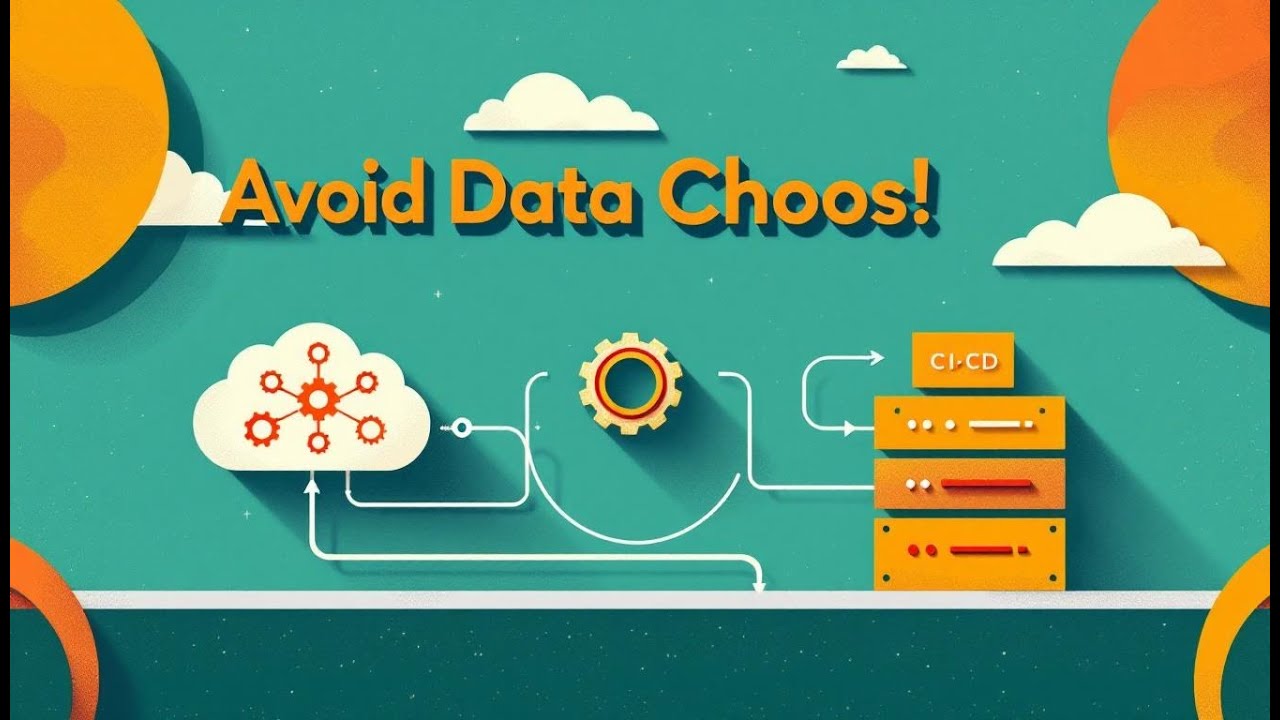


GitHub, Azure DevOps, or Fabric—Who’s Actually in Charge?
Microsoft Fabric Git Integration is changing the game for anyone building modern data platforms, and in this episode we break down exactly how it works and why it matters. Discover how Microsoft Fabric seamlessly connects to Azure DevOps and GitHub, giving you full version control, automated deployments, and a true end-to-end CI/CD workflow for everything from semantic models to Power BI reports. This episode shows how Fabric unifies your data engineering, data warehousing, and analytics tools while Git integration brings collaboration, code tracking, and environment consistency to the entire process. We also explore how Azure DevOps Pipelines and GitHub Actions can automatically build, test, and deploy your Fabric content, helping teams ship updates faster, avoid errors, and maintain total governance across dev, test, and production environments. If you're ready to level up your data operations, streamline deployments, and unlock the full power of Microsoft Fabric with Git, Azure DevOps, and GitHub, this episode gives you the roadmap.


Microsoft Fabric: Git Integration, Azure DevOps & GitHub Pipelines
Microsoft Fabric offers a unified platform for all your data analytics needs, seamlessly integrating with popular DevOps tools like Azure DevOps and GitHub. This integration unlocks powerful capabilities for version control, continuous integration, and continuous deployment (CI/CD), streamlining your data engineering and analytics workflows. Let's explore how Microsoft Fabric Git integration, coupled with Azure DevOps and GitHub pipelines, can revolutionize your data management practices.
Understanding Microsoft Fabric
Overview of Microsoft Fabric
Microsoft Fabric is an all-encompassing analytics solution designed to simplify your data landscape and integrate seamlessly with Azure pipelines. It integrates various data services like data engineering, data warehousing, data integration, and business intelligence into a single, unified environment. This integration enables businesses to build end-to-end data solutions with ease, fostering collaboration and accelerating insights. Using Microsoft Fabric, organizations can consolidate their data tools, reduce complexity, and improve overall efficiency.
Key Features of Microsoft Fabric
Microsoft Fabric boasts several key features that make it a comprehensive analytics solution. These features include:
- Unified data lake storage, allowing you to store and manage all your data in one place.
- Powerful compute engines optimized for different workloadsSuch as Apache Spark for data engineering and SQL for data warehousing, which can be integrated into the power BI service.
- Seamless integration with Power BI, enabling you to create compelling data visualizations and reports.
The platform also provides robust security and governance features, ensuring data is protected and compliant. Fabric Git ensures all these items are under version control.
Benefits of Using Microsoft Fabric
The benefits of using Microsoft Fabric are numerous. It streamlines your data workflows, reduces the complexity of managing multiple data tools, and accelerates time to insight. With integrated governance and security features, Fabric ensures data compliance and protection. By leveraging Fabric Git, teams can collaborate more effectively, manage changes efficiently, and ensure consistency across different environments. Furthermore, Fabric's unified environment lowers costs and improves overall data management efficiency.
Git Integration in Microsoft Fabric
What is Fabric Git Integration?
Microsoft Fabric Git Integration provides robust version control for your Fabric items, allowing you to manage changes, collaborate effectively, and ensure consistency across different environments. By connecting your Fabric workspace to a Git repository, you can track all modifications to your semantic model, Power BI report, and other fabric items. This integration supports seamless collaboration among team members, enabling them to work on different features concurrently using feature branch strategies. With Fabric Git, every change is recorded, making it easy to revert to previous versions if needed and maintain a clear audit trail. The synchronization between your fabric workspace and Git repo ensures that your work is always backed up and recoverable.
Supported Git Providers for Microsoft Fabric
Currently, Microsoft Fabric Git Integration supports Azure DevOps and GitHub, two of the most popular Git providers. This allows users already invested in either of these platforms to seamlessly integrate their Fabric workspace. Whether you are using Azure DevOps for its comprehensive suite of DevOps tools or GitHub for its extensive community and open-source focus, Fabric Git ensures compatibility. For organizations using GitHub Enterprise, Microsoft Fabric also supports connecting to private GitHub repositories. The flexibility to choose between Azure DevOps or GitHub allows teams to use the Git provider that best suits their workflow and organizational needs. Microsoft Learn provides comprehensive documentation on setting up and managing Git integration with both platforms.
How to Set Up Git Integration
To set up Git integration in Microsoft Fabric, you'll generally follow a few key steps:
- Authenticate your Fabric workspace with your chosen Git provider, such as Azure DevOps or GitHub, granting the required permissions.
- Connect your Fabric workspace to a specific Git repository branch.
Once connected, you can sync your Fabric items to the Git repo, creating a version-controlled backup. Any subsequent changes you make in Fabric can be committed and pushed to the repository, allowing you to leverage the full power of Git for version control and collaboration. Deployment pipelines can then be configured in Azure DevOps pipelines or GitHub Actions to automate the deployment of changes from the repository to different environments, such as development, test, and production.
Azure DevOps and GitHub Pipelines
Introduction to Azure DevOps Pipelines
Azure DevOps Pipelines offer a robust solution for implementing CI/CD processes, particularly beneficial when working with Microsoft Fabric. Using Azure DevOps, you can Automate the build, test, and deploy phases using the fabric REST API to enhance efficiency. of your data solutions, ensuring consistent and reliable deployments. The integration with Fabric Git allows you to trigger pipelines whenever changes are committed to your Git repository, streamlining the deployment of new features or updates to your semantic model and Power BI report. With Azure DevOps pipelines, you have granular control over the deployment process, enabling you to define specific tasks, approvals, and environments. You can also monitor the progress of your pipelines in real-time, identifying and resolving any issues quickly.
Using GitHub for Microsoft Fabric Pipelines
GitHub Actions provides an alternative approach to automating your Microsoft Fabric deployment pipelines, integrating seamlessly with the Azure pipeline for a flexible and collaborative environment. Similar to Azure DevOps Pipelines, GitHub Actions enables you to define workflows that are triggered by events in your Git repo, such as pull request merges or branch updates. This allows you to automate the process of building, testing, and deploying changes to your Fabric workspace. By using GitHub Actions, you can leverage the extensive GitHub community and marketplace to find pre-built actions that simplify common deployment tasks. Furthermore, GitHub's integrated source control features make it easy to track changes, collaborate with team members, and revert to previous versions if needed, especially when using repos. By connecting GitHub Actions to your Microsoft Fabric environment, you can ensure that your deployments are consistent, reliable, and aligned with your source code.
Comparison: Azure DevOps or GitHub for Pipelines
When deciding between Azure DevOps and GitHub for your Microsoft Fabric pipelines, consider your existing infrastructure and team expertise. Azure DevOps offers a comprehensive suite of DevOps tools, including pipelines, boards, and repositories, making it a strong choice for organizations already invested in the Microsoft ecosystem. Its tight integration with other Azure services and robust security features can be particularly advantageous. On the other hand, GitHub Actions provides a more open and community-driven approach, enhancing collaboration within the fabric community.With a vast marketplace of actions and seamless integration with GitHub repositories, the fabric community can easily share and utilize resources. If your team is more comfortable with GitHub or prefers its collaborative features, GitHub Actions may be the better option. Both platforms offer powerful capabilities for automating your fabric deployment, so the choice ultimately depends on your specific needs and preferences. Also keep in mind that both can be used to trigger Fabric-CICD jobs.
Building a Fabric Deployment Pipeline
Steps to Create a Fabric Deployment Pipeline
Creating a Fabric deployment pipeline involves several key steps. First, establish Git integration between your Microsoft Fabric workspace and your chosen Git repository, whether it's Azure DevOps or GitHub. This requires authentication and proper permission settings. Next, define the stages of your pipeline, such as dev, test, and production. Configure tasks for each stage, including data validation, transformation, and loading. Utilize Azure DevOps pipelines or GitHub Actions to automate these tasks, ensuring consistent deployment of your semantic model and Power BI report. Finally, set up triggers to initiate the pipeline based on events like pull request merges or branch updates, streamlining the Fabric-CICD process.
Managing Branches in Fabric Deployment
Effective branch management is crucial for a successful Fabric deployment. Employ a feature branch strategy, where each new feature or bug fix is developed in a separate branch. This allows team members to work concurrently without disrupting the main codebase. Use Pull requests are essential for maintaining code quality and facilitating collaboration within the fabric community. to review and merge changes into the main branch. Define clear branching conventions to maintain consistency and prevent conflicts. Regularly sync your Fabric workspace with the Git repository to keep all fabric items up-to-date. Utilize version control to track changes and easily revert to previous states if needed. By managing branches effectively, you can ensure a smooth and collaborative deployment process using Microsoft Fabric Git integration.
Best Practices for Deployment Pipelines
When designing your project structure, consider organizing files into a folder for better management of your git-based workflow. deployment pipelines for Microsoft Fabric, several best practices can enhance efficiency and reliability. Implement automated testing at each stage of the pipeline to catch issues early. Use infrastructure-as-code (IaC) to manage your Fabric workspace configurations. Secure your pipeline by implementing proper access controls and secrets management. Monitor your pipeline's performance using tools like Azure DevOps monitoring or GitHub Actions logging. Continuously refine your pipeline based on feedback and performance metrics. This proactive approach helps ensure your fabric items are reliably Deployed applications can leverage the fabric REST API for enhanced functionality. and updated, while minimizing risks and errors through Azure DevOps and GitHub.
Microsoft Fabric with Power BI
Integrating Power BI with Microsoft Fabric
Integrating Power BI with Microsoft Fabric Streamlines data analytics workflows, especially when utilizing the power BI service and the fabric REST API. Microsoft Fabric Git Integration allows direct connection of Power BI datasets and reports to a Git repository, enabling version control and collaborative development. With fabric git, developers can track changes to the semantic model and Power BI report, revert to previous versions, and ensure consistency across environments. By integrating Power BI with Microsoft Fabric, organizations can centralize their data assets, improve collaboration, and ensure data governance, thus enhancing the overall efficiency of their data analytics processes with features like source control and automated deployment.
Deployment Scenarios for Power BI in Fabric
Several deployment Scenarios are well-suited for leveraging the power BI service in analytics projects. Power BI within Microsoft Fabric. One common scenario involves deploying Power BI reports and datasets from a dev environment to a test environment, and then to production, ensuring thorough testing before wider release. Another involves managing different versions of reports for various departments or regions. Microsoft Fabric Git integration streamlines this process by providing version control for fabric items, enabling teams to collaborate effectively on new features and bug fixes. By leveraging Azure DevOps pipelines or GitHub Actions, organizations can automate the deployment of Power BI content, ensuring consistency and reducing manual errors. Microsoft Learn provides detailed guides on these scenarios.
Benefits of Using Power BI in Fabric
Using Power BI in Microsoft Fabric offers several advantages. It Centralizes data analytics resources in a unified environment, such as the power BI service, reducing complexity and improving collaboration.. Fabric Git provides version control for Power BI datasets and reports, enabling teams to track changes, revert to previous versions, and ensure consistency. Azure DevOps or GitHub integration automates the deployment process, minimizing manual errors and speeding up releases. Microsoft Fabric Git Integration enables the use of pipelines in Azure DevOps that facilitate continuous integration and continuous deployment (CI/CD), ensuring that Power BI Content is always up-to-date and reliable, thanks to the contributions from the Microsoft Fabric community. This integration enhances efficiency, collaboration, and governance for Power BI deployments within Microsoft Fabric.
Summary
Running GitHub, Azure DevOps, or Fabric — Who’s Actually in Charge? is really about the orchestration behind your analytics deployment. In this episode, I argue that no single tool “wins” — instead, your stack must combine version control, packaging, and approval gates. You’ll hear why treating Bronze, Silver, and Gold layers as code, not scripts, is essential, and how failing at one layer can poison your whole pipeline.
We’ll unpack how teams often fall into a tool war: devs prefer GitHub, governance teams lean Azure DevOps, and Fabric offers convenient packaging. But each has strengths and limitations. The real architecture? Use GitHub as your source of truth, Fabric for packaging and moving assets, and DevOps for approvals and governance. That stack—when disciplined—lets you deploy reliably, rollback smartly, and avoid 3 a.m. dashboards nightmares.
What You’ll Learn
* Why Bronze without rollback becomes a “CSV graveyard”
* How Silver layer corruption is silent but dangerous
* Why Gold (the dashboard layer) demands strict promotion discipline
* The strengths and limits of GitHub (branching, version, rollback)
* How Fabric helps package and move analytics assets
* Why Azure DevOps or similar tools are important for gating, approvals, and audit trails
* A recommended stack architecture: GitHub + Fabric + DevOps
* Three critical rules: isolate environments, enforce automated gates, make rollback simple
Full Transcript
Here’s a statement that might sting: without CI/CD, your so‑called Medallion Architecture is nothing more than a very expensive CSV swamp.
Subscribe to the M365.Show newsletter so you i can reach Gold Medallion on Substack!
Now, the good news: we’re not here to leave you gasping in that swamp. We’ll show a practical, repeatable approach you can follow to keep Fabric Warehouse assets versioned, tested, and promotable without midnight firefights. By the end, you’ll see how to treat data pipelines like code, not mystery scripts.
And that starts with the first layer, where one bad load can wreck everything that follows.
Bronze Without Rollback: Your CSV Graveyard
Picture this: your Bronze layer takes in corrupted data. No red lights, no alarms, just several gigabytes of garbage neatly written into your landing zone. What do you do now? Without CI/CD to protect you, that corruption becomes permanent. Worse, every table downstream is slurping it up without realizing. That’s why Bronze so often turns into what I call the CSV graveyard. Teams think it’s just a dumping ground for raw data, but if you don’t have version control and rollback paths, what you’re really babysitting is a live minefield.
People pitch Bronze as the safe space: drop in your JSON files, IoT logs, or mystery exports for later. Problem is, “safe” usually means “nobody touches it.” The files become sacred artifacts—raw, immutable, untouchable. Except they’re not. They’re garbage-prone. One connector starts spewing broken timestamps, or a schema sneaks in three extra columns. Maybe the feed includes headers some days and skips them on others. Weeks pass before anyone realizes half the nightly reports are ten percent wrong. And when the Bronze layer is poisoned, there’s no quick undo.
Think about it: you can’t just Control+Z nine terabytes of corrupted ingestion. Bronze without CI/CD is like writing your dissertation in one single Word doc, no backups, no versions, and just praying you don’t hit crash-to-desktop. Spoiler alert: crash-to-desktop always comes. I’ve seen teams lose critical reporting periods that way—small connector tweaks going straight to production ingestion, no rollback, no audit trail. What follows is weeks of engineers reconstructing pipelines from scratch while leadership asks why financials suddenly don’t match reality. Not fun.
Here’s the real fix: treat ingestion code like any other codebase. Bronze pipelines are not temporary throwaway scripts. They live longer than you think, and if they’re not branchable, reviewable, and version-controlled, they’ll eventually blow up. It’s the same principle as duct taping your car bumper—you think it’s temporary until one day the bumper falls off in traffic.
I once watched a retail team load a sea of duplicated rows into Bronze after an overnight connector failure. By the time they noticed, months of dashboards and lookups were poisoned. The rollback “process” was eight engineers manually rewriting ingestion logic while trying to reload weeks of data under pressure. That entire disaster could have been avoided if they had three simple guardrails.
Step one: put ingestion code in Git with proper branching. Treat notebooks and configs like real deployable code.
Step two: parameterize your connection strings and schema maps so you don’t hardwire production into every pipeline.
Step three: lock deployments behind pipeline runs that validate syntax and schema before touching Bronze. That includes one small but vital test—run a pre-deploy schema check or a lightweight dry‑run ingestion. That catches mismatched timestamps or broken column headers before they break Bronze forever.
Now replay that earlier horror story with these guardrails in place. Instead of panicking at three in the morning, you review last week’s commit, you roll back, redeploy, and everything stabilizes in minutes. That’s the difference between being crushed by Bronze chaos and running controlled, repeatable ingestion that you trust under deadline.
The real lesson here? You never trust luck. You trust Git. Ingestion logic sits in version control, deployments run through CI/CD with schema checks, and rollback is built into the process. That way, when failure hits—and it always does—you’re not scrambling. You’re reverting. Big difference. Bronze suddenly feels less like Russian roulette and more like a controlled process that won’t keep you awake at night.
Fixing Bronze is possible with discipline, but don’t take a victory lap yet. Because the next layer looks polished, structured, and safe—but it hides even nastier problems that most teams don’t catch until the damage is already done.
Silver Layer: Where Governance Dies Quietly
At first glance, Silver looks like the clean part of the Warehouse. Neat columns, standard formats, rows aligned like showroom furniture. But this is also where governance takes the biggest hit—because the mess doesn’t scream anymore, it tiptoes in wearing a suit and tie. Bronze failures explode loudly. Silver quietly bakes bad logic into “business-ready” tables that everyone trusts without question.
The purpose of Silver, in theory, is solid. Normalize data types, apply basic rules, smooth out the chaos. Turn those fifty date formats into one, convert text IDs into integers, iron out duplicates so the sales team doesn’t have a meltdown. Simple enough, right? Except when rules get applied inconsistently. One developer formats phone numbers differently from another, someone abbreviates state codes while someone else writes them out, and suddenly you’ve got competing definitions in a layer that’s supposed to define truth. It looks organized, but the cracks are already there.
The worst slip? Treating Silver logic as throwaway scripts. Dropping fixes straight into a notebook without source control. Making changes directly against production tables because “we just need this for tomorrow’s demo.” I’ve seen that happen. It solves the urgent problem but leaves test and production permanently out of sync. Later, your CI/CD jobs fail, your reports disagree, and nobody remembers which emergency tweak caused the divergence. That’s not cleanup—that’s sabotage by convenience.
Here’s where we cut the cycle. Silver needs discipline, and there’s a blunt three‑step plan that works every time:
Step one: put every transformation into source control with pull‑request reviews. No exceptions. That’s filters, joins, derived columns—everything. If it changes data, it goes in Git.
Step two: build automated data‑quality checks into your CI pipeline. Null checks, uniqueness checks, type enforcement. Even something as basic as a schema‑compatibility check that fails if column names or types don’t match between dev and test. Make your CI run those automatically, so nobody deploys silent drift.
Step three: promote only through CI/CD with approvals, never by direct edits. That’s how dev, test, and prod stay aligned instead of living three separate realities you can’t reconcile later.
Automated checks and PRs prevent “polite” Silver corruption from becoming executive‑level panic. Think about it—errors masked as clean column names are the ones that trigger frantic late‑night calls because reports look wrong, even though the pipelines say green. With governance in place, those failures get stopped at the pull request instead of at the boardroom.
Professional payoff? You stop wasting nights chasing down half‑remembered one‑off fixes. You stop re‑creating six months of ad‑hoc transformations just to figure out why customer counts don’t match finance totals. Instead, your rules are peer‑reviewed, tested, and carried consistently through environments. What happens in dev is what happens in prod. That’s the standard.
Bottom line: if Bronze chaos is messy but obvious, Silver chaos is clean but invisible. And invisible failures are worse because leadership doesn’t care that your layer “looked” tidy—they care that the numbers don’t match. Guardrails in Silver keep authority in your data, not just surface polish in your tables.
Now we’ve talked about the quiet failures. But sometimes governance issues don’t wait until the monthly audit—they land in your lap in the middle of the night. And that’s when the next layer starts to hurt the most.
Gold Layer: Analytics at 3 AM
Picture this: you’re asleep, your phone buzzes, and suddenly finance dashboards have gone dark. Senior leadership expects numbers in a few hours, and nobody wants to hear “sorry, it broke.” Gold is either reliable, or it destroys your credibility before breakfast.
This is the layer everyone actually sees. Dashboards, KPIs, reports that executives live by—Gold is the plate you’re serving, not the prep kitchen in back. Mess up here, and it doesn’t matter how meticulous Bronze or Silver were, because the customer-facing dish is inedible. That’s why shortcuts in Gold cost the most.
Without CI/CD discipline, one casual schema tweak upstream can wreck trust instantly. Maybe someone added a column in Silver without testing. Maybe a mapping fix changed values in ways nobody noticed. Suddenly the quarter‑end metrics don’t reconcile, and you’re scrambling. Unlike Bronze, you can’t shrug and reload later—leaders already act on the data. You need guarantees that Gold only reflects changes that were tested and approved.
Too many teams instead resort to panic SQL patch jobs. Manual updates to production tables at 4 a.m., hoping the dashboard lights back up in time for the CFO. Sure, the query might “fix” today, but prod drifts into its own reality while dev and test stay behind. No documentation, no rollback, and good luck remembering what changed when the issue resurfaces.
If you want sanity, Gold needs mirrored environments. Dev, test, and prod must run the same pipelines, with the same logic and schema alignment, so promoting a change means moving tested code forward—not experimenting on prod. That alone will save half your crisis calls.
Then layer in automated checks. CI/CD pipelines should run schema‑compatibility tests before promotions. At a minimum: verify that all expected columns still exist and retain the right data types, run a regression test comparing a small sample across environments, and fire a smoke query that asserts critical KPIs fall within expected ranges. If any of those break, stop the deployment there. Better to get a failure email during business hours than a screaming dashboard at dawn.
And about rollback: if you package deployments and keep versioned artifacts, reverting Gold is as simple as redeploying the last known‑good build. This isn’t magic—it’s just good hygiene. Without versioning, rollback turns into archaeology: trying to remember which schema state matched last week while executives wait. With versions aligned, rollback is a controlled redeploy, not a guessing game.
Here’s a veteran pro tip: if you ever cave and patch prod live, log it immediately. Commit the change to source control, open a pull request documenting the hotfix, and sync dev/test afterward. Don’t let prod become a shadow universe. Treat a hotfix like code so the whole stack realigns.
All this boils down to one blunt truth: Gold is not a finish line—it’s production software. Treating it with less rigor than an app release is what keeps you in 3 a.m. fire drills. Guardrails, versioning, automated checks, dedicated environments—all standard for app dev, all just as mandatory for analytics.
The payoff is obvious. With CI/CD in Gold, deployments become predictable, KPIs don’t vanish overnight, models train on reliable data, and you—the data engineer—actually get to keep some weekends to yourself. You’re no longer firefighting dashboards, you’re running a stable production system.
Of course, discipline inside Gold is only half of the equation. The other half is figuring out which tool is actually steering your deployments—and that’s where the politics start to matter.
Who’s Actually in Charge: GitHub, Azure DevOps, or Fabric?
When teams argue about deployment, the conversation almost always drifts into tool wars. Somebody swears GitHub is the answer, someone else pushes Azure DevOps, and then Fabric shows up with its built‑in deployment options. The problem? None of them alone solves everything, and pretending one tool is “the boss” wastes more time than it saves.
Here’s the pattern we see most often. Developers prefer GitHub, because it feels natural: pull requests, branches, merge checks, clean history. It’s the diary of every change. Enterprise governance teams lean toward Azure DevOps, because it adds structure: gates, approvals, audit trails, process discipline that compliance officers like. Then you have Fabric, offering web‑based deployment features right in the service. Handy, but more suited for packaging assets and moving them between environments in a lightweight way, not replacing full lifecycle management. And here’s the caveat—before you rely on any Fabric export/import workflow, confirm in your tenant how it actually behaves.
So rather than treating this like a showdown, treat it like a stack. A recommended architecture pattern goes like this: GitHub, or any Git host, as the single source of truth for notebooks, SQL files, and pipeline configs. That’s where developers branch, merge, and review work without stepping on each other. Then use Fabric’s deployment features when you need to bundle workspace objects into deployable packages that move through dev, test, and prod. Finally, put Azure DevOps—or any orchestration tool with gates—on top to handle approvals, staged rollouts, and the audit trail. That way, every step is recorded, authorized, and reversible.
Think about a real‑world example. You want to roll a Warehouse schema update from dev to test. Fabric’s deployment feature can move the package quickly, so you can validate it in test without hacking production. GitHub, meanwhile, keeps the script versioned and reversible: if someone’s join logic breaks, you can roll back to the previous commit. Then, Azure DevOps ensures nothing hits production until someone with the right role signs off after QA. The whole flow catches changes at the right level instead of waiting for customers to stumble on them in a dashboard.
Picture it like this: Fabric is the car—your Warehouse doesn’t move without it. GitHub is the map—shows where you’ve been, lets you plan your route, and gives you rollback if you take a wrong turn. Azure DevOps is traffic control—stops you from blowing through the red light because somebody wanted to get home faster. Different roles, same journey. You don’t need to crown one tool king; you need them to work side by side.
Pro tip here: don’t make tool preference the starting question. Start with needs. Who in your org must have audit logs? Who needs fast branches and merge checks? Who enforces gated approvals? Map those requirements, then assign the right tool to own each capability. Flip the question from “Which product should we standardize on?” to “Which part of governance does each cover best?” Suddenly it’s less about opinions and more about architecture.
The winning combination usually looks the same: Fabric for packaging and moving analytics assets; GitHub for collaboration, branching, and rollback safety; and Azure DevOps for enforcement and approvals. That’s not a marketing slide, that’s a common best‑practice stack teams have had success with. Use Fabric alone if you’re a small shop moving things quickly. Wrap in GitHub when more than one person edits the code. Layer Azure DevOps when governance and compliance come knocking. Each one fills a gap the others leave wide open.
So here’s the sanity check before you decide: map out your priorities. If rollback matters, pick your source control first. If compliance matters, ensure orchestration has approvals and logs. If speed matters, lean on Fabric’s deployment features for the quick hops. When you line up those needs against the tools, the decision makes itself. Tools aren’t the boss—you are.
And once the tools are aligned, there’s still one more challenge. Because stitching GitHub, DevOps, and Fabric together doesn’t guarantee success. What makes or breaks deployments isn’t the product stack, it’s whether you enforce discipline on every release. That’s the real difference between analytics you trust and analytics that wake you up at night.
Avoiding the Deployment Nightmare
Avoiding the Deployment Nightmare isn’t about wishful thinking—it’s about cutting off the predictable mistakes before they torch your pipeline. We’ve all seen the fairy‑tale pitch of smooth automated delivery: every commit sails into prod without friction, dashboards never blink red, and nobody’s phone buzzes at 2 a.m. Reality check? If you don’t enforce discipline, CI/CD doesn’t prevent chaos—it just automates it faster.
And the truth is, most blow‑ups aren’t some exotic zero‑day bug. They come from boring, obvious shortcuts. Someone skips spinning up a dev environment because “it takes too long.” Someone bypasses validation because “the CFO needs it in an hour.” Or someone pushes a hotfix straight into production and then swears they’ll clean it up later. Spoiler: they never clean it up. That half‑hour saved today becomes a nightmare month down the road.
The worst fallout from those shortcuts is divergence. Dev, test, and prod slowly stop being the same thing. One gets patched a certain way, another carries a manual tweak nobody documented, and production turns into Frankenstein stitched together with duct tape. When numbers don’t match across environments, no one remembers which “just this once” fix caused the split, and suddenly quarterly revenue stats don’t even reconcile with themselves.
Here’s a scar to prove the point: a team once patched null handling directly in Gold to keep dashboards alive. On the surface, no red lights—problem solved. But staging had clean transforms, while prod carried that rogue tweak. Two weeks later, machine learning models trained on staging didn’t match real‑world outputs. Cue re‑training, wasted sprint cycles, and confused leadership. That’s the pattern: every prod‑only fix is a time bomb.
So how do you stop this? Strip it down to three rules, simple enough to memorize:
Rule A: Isolate environments, and never skip promotions. Dev to test, test to prod—always in that order. Promotion only happens forward. No “we’ll just slide this one change straight into prod.” If you want speed, automate the promotion pipeline, don’t bypass it. The fix is simple: script your environment setup once, containerize or template it, then reuse it. Stop treating environment prep as optional—make it part of the pipeline.
Rule B: Enforce automated tests and gates. Every commit needs to face checks before promotion, non‑negotiable. That means running unit tests for notebook logic or SQL transformations and a small integration test over a golden dataset. These tests catch silent schema drift or broken joins before they sneak into production. Add gates for approvals too—real human sign‑off where business impact is high. Think of it as a bouncer at the club door: no test pass, no entry.
Rule C: Make rollback a single‑click path. Don’t wait until disaster strikes to figure out how to undo. Package each deployment as a versioned artifact. That way, “rollback” means re‑deploying the last known good build, not digging through old scripts like digital archaeologists. Treat rollback like save points in a game—you wouldn’t wipe them before the boss fight. Same logic here.
There’s one more layer teams forget: observability. It’s not enough to just deploy—you need eyes on what happens before and after. That means pre‑deploy checks to confirm schema matches expectations, and post‑deploy monitoring that throws alerts if a KPI suddenly shifts outside a reasonable band. One common pattern: set automated checks so if a key metric moves more than a certain threshold—say, revenue swings wildly—you get notified before the boardroom does. This isn’t fancy AI; it’s making sure the lights flash red when data turns sideways.
Bottom line: avoiding deployment nightmares isn’t about building the fanciest YAML file. It’s rules and guardrails baked into the process so mistakes get blocked early, changes only move forward, and rollback is always one command away. That’s what separates teams still patching in prod from teams that actually trust their analytics pipelines.
And once those three rules are second nature—environment isolation, automated gates, and quick rollback—you’re ready to face the bigger picture. Because at some point, it’s not just about single fixes or shortcuts. It’s about what really gives structure to the whole architecture.
Conclusion
Subscribe at m365 dot show for a golden Age, and follow the M365.Show LinkedIn page for MVP‑led livestreams where we stress‑test this stuff in real tenant chaos. That’s your survival kit.
Three takeaways to tattoo on your brain: One, treat every layer as code—Bronze, Silver, Gold—it all lives in source control. Two, never let a change sneak forward without automated tests and promotion gates. Three, use the tools together: GitHub for collaboration, Fabric for packaging, Azure DevOps for governance. Four, Hit Subscribe!
The Medallion architecture only becomes resilient when you wrap CI/CD discipline around it—otherwise it’s plumbing that leaks at scale. Tell us in the comments: which layer wakes you up at 3 a.m.—Bronze, Silver, or Gold?
This is a public episode. If you'd like to discuss this with other subscribers or get access to bonus episodes, visit m365.show/subscribe

