


Microsoft Fabric Explained: No Code, No Nonsense
In this episode, we dive into Microsoft Fabric, the unified data and analytics platform reshaping how organizations manage, analyze, and act on their data. Designed to bring Power BI, Data Factory, Azure Synapse, and other Microsoft services into one integrated environment, Fabric simplifies everything from data ingestion and transformation to advanced analytics and real-time reporting.
You’ll learn what Microsoft Fabric is, why analytics play a central role in modern data platforms, and how Fabric creates a single source of truth across your organization. We break down the major components—Fabric Data Warehouse, Data Factory, data engineering tools, SQL capabilities, data science workflows, and seamless Power BI integration. These features enable businesses to build scalable data pipelines, perform complex analytics, and visualize insights effortlessly.
The episode explains how Fabric enhances Power BI through real-time analytics, unified data access, and deeper integration with workloads across the platform. We explore how Fabric supports data governance, security, lineage tracking, and Microsoft Purview integration to help maintain trustworthy, well-managed data.
We also cover how organizations can leverage Fabric for data engineering, machine learning, and industry-specific analytics scenarios such as fraud detection, patient insights, and retail personalization. Finally, we look at the future of Microsoft Fabric—greater automation, tighter Microsoft 365 and Azure integration, and the rise of Copilot-powered analytics that make data insights accessible to everyone.
Whether you're a data engineer, analyst, scientist, or IT leader, this episode provides a clear, practical overview of how Microsoft Fabric can transform your data strategy and unlock powerful new analytics capabilities.


Microsoft Fabric: Comprehensive Guide to Features & Analytics
Microsoft Fabric is revolutionizing how businesses approach data and analytics. This comprehensive guide will walk you through the key features, benefits, and practical applications of this powerful data platform. Whether you're a data scientist, data engineer, or business analyst, understanding Microsoft Fabric is essential for staying ahead in today's data-driven world. Let's dive in and explore how Fabric can transform your data strategy and unlock valuable insights.
Introduction to Microsoft Fabric
What is Microsoft Fabric?
Microsoft Fabric provides a unified data and analytics platform designed to simplify and accelerate data-driven decision-making. It integrates various Microsoft services, such as Power BI, Data Factory, and Azure Synapse Analytics, into a single, cohesive environment. This integration within Microsoft Fabric streamlines data integration, data transformation, and analytics processes, enabling users to derive insights more efficiently. Using Microsoft Fabric allows organizations to unify data from disparate data sources and create a single source of truth for analytics.
Importance of Analytics in Data Platforms
Analytics are at the heart of modern data platforms, and Microsoft Fabric is no exception. The ability to perform real-time analytics and gain actionable insights is crucial for businesses looking to stay competitive. Microsoft Fabric’s focus on data analytics platform capabilities ensures that organizations can process raw data, perform complex analyses, and generate meaningful reports. Fabric and Power BI integration further enhances these capabilities, allowing users to visualize data and share insights across the organization. A comprehensive guide to features within Microsoft Fabric will help any user understand the value and importance of analytics.
Overview of Key Features of Microsoft Fabric
Microsoft Fabric offers a range of key features designed to streamline data management and analytics. These features include powerful tools for various data-related tasks, as summarized in the table below. Integration with Microsoft 365 applications ensures seamless collaboration and data sharing across the organization, enhancing fabric capacity. These features of Microsoft Fabric collectively create a powerful and versatile data and analytics environment.
| Feature Category | Capabilities |
|---|---|
| Data Engineering | Efficient data transformation and creation of robust data pipelines. |
| Data Warehouse | Scalable and reliable storage solution for analytical workloads. |
Components of Microsoft Fabric
Fabric Data Warehouse
Microsoft Fabric revolutionizes data and analytics through its integrated fabric data warehouse. This component is designed to handle large-scale analytical workloads, providing a robust and scalable data platform for organizations. The fabric data warehouse within Microsoft Fabric allows businesses to store and analyze vast amounts of data efficiently. Fabric provides a single, unified environment for all data warehouse needs, enabling users to derive valuable insights and make data-driven decisions. By using fabric, companies can optimize their data storage and processing capabilities. The data platform facilitates real-time analytics and supports complex queries, ensuring that organizations can quickly respond to changing business needs.
Data Factory and Its Role
Data Factory plays a crucial role within Microsoft Fabric by providing comprehensive data integration and data transformation capabilities. This Microsoft service enables users to ingest data from various sources into the data factory in Microsoft Fabric. data sources, transform it into a usable format, and load it into the fabric data warehouse or data lake. Data Factory facilitates the creation of robust data pipelines, ensuring that data is processed efficiently and reliably. With Data Factory, organizations can unify data from disparate systems, enabling a holistic view of their business operations. This component of Microsoft Fabric simplifies the complexities of data engineering, allowing users to focus on extracting value from their data. Microsoft Fabric offers a seamless experience for building and managing data integration workflows.
Data Engineering within Microsoft Fabric
Data engineering within Microsoft Fabric is a critical aspect of the data and analytics process. Fabric data engineering tools enable users to design, build, and manage data pipelines that transform raw data into a format suitable for analytics. Microsoft Fabric provides a unified environment for data engineers to collaborate and streamline their workflows. By using Fabric, data engineers can ensure that data is clean, consistent, and readily available for analysis. Microsoft Fabric’s data engineering capabilities facilitate the creation of robust operational databases in Fabric. data pipelines, enabling organizations to process and analyze large volumes of data efficiently. This is essential for generating valuable insights and making informed business decisions, and makes use of Microsoft Entra for secure access. Microsoft Fabric a valuable data platform.
Power BI Integration with Microsoft Fabric
How Microsoft Fabric Enhances Power BI
Microsoft Fabric enhances Power BI by providing a unified data and analytics platform that simplifies data access and transformation. The integration with Microsoft Fabric allows Power BI users to seamlessly access data from various fabric items, including data warehouses, data lakes, and databases in Fabric. Fabric and Power BI work together to provide a streamlined analytics experience, enabling users to create interactive dashboards and reports with ease. This tight integration ensures that Power BI can leverage the full power of the data platform, offering a comprehensive guide to features that enhance data-driven decision-making within Fabric.
Real-Time Analytics Capabilities
Real-time analytics capabilities are a key benefit of using Microsoft Fabric with Power BI. The integration enables users to perform real-time analysis on streaming data, providing immediate insights into business operations. Microsoft Fabric provides the infrastructure for ingesting, processing, and analyzing data in real-time, while Power BI offers the visualization tools to present these insights effectively. This combination allows organizations to monitor key performance indicators, detect anomalies, and respond quickly to changing business conditions. Real-time analytics empower users to make informed decisions based on the most current data available within Fabric.
Using Power BI with Fabric Workloads
Using Power BI with Fabric workloads streamlines the analytics process by providing seamless integration with various data sources, enhancing operational databases in Fabric. Microsoft Fabric offers a range of data services, including data engineering, data science, and data warehousing, which can be easily accessed from Power BI. Fabric workloads, such as data pipelines and machine learning models, can be integrated directly into Power BI reports and dashboards. This integration enables users to create comprehensive analytics solutions that leverage the full capabilities of the Microsoft Fabric data platform. Microsoft Fabric provides a unified environment for data and analytics, making it easier to derive value from data.
Data Management and Analytics Features
Data Management Tools in Microsoft Fabric
Data management tools within Microsoft Fabric are designed to streamline data governance, quality, and security, enhancing the features in Microsoft Fabric. To achieve this, Fabric provides several key capabilities, including:
- Microsoft Purview integration for cataloging, classifying, and protecting data assets.
- Data lineage tracking to understand the origins and transformations of data.
These data management capabilities ensure that data is trustworthy and reliable, enabling users to make informed decisions based on accurate information. Fabric offers a comprehensive set of tools for managing data across the data platform and ensuring data integrity throughout the organization.
Analytics Tools Overview
Microsoft Fabric's analytics tools offer a wide array of features for understanding your data, including integration with Microsoft Power BI. Specifically, users can leverage tools for:
- Creating interactive dashboards and reports with Power BI integration.
- Developing and deploying machine learning models using data science tools.
These capabilities, combined with data mining and statistical analysis, enable users to explore data, identify trends, and uncover insights for improved business performance.
Fabric Integrates with SQL Database
SQL Database in Microsoft Fabric provides a robust and scalable solution for storing and managing structured data. Microsoft Fabric integrates with SQL Database, allowing users to seamlessly query and analyze data using familiar SQL syntax. The integration between Microsoft Fabric and SQL Database enables users to build data-driven applications and analytics solutions that leverage the power of SQL. This integration also facilitates data integration with other Microsoft services and data sources, ensuring that data is readily available for analysis. SQL Database is an essential component of Microsoft Fabric, providing a reliable and scalable data storage solution.
Data Science and Engineering in Microsoft Fabric
Implementing Data Science with Fabric
Implementing data science with Microsoft Fabric involves leveraging the platform's comprehensive suite of tools to build, deploy, and manage machine learning models. Fabric data science capabilities enable data scientists to work with data stored in the data lake or data warehouse. Microsoft Fabric provides a unified environment for data preparation, model training, and model evaluation, fostering collaboration between data scientists and data engineers. By using Fabric, organizations can accelerate their data science initiatives and derive actionable insights using Microsoft Power BI. insights from their data.
Fabric Data Engineering Techniques
Fabric data engineering techniques focus on building robust data pipelines that transform raw data into a format suitable for analytics and data science. Microsoft Fabric's data engineering tools, including Data Factory, enable users to ingest data from various data sources and perform complex data transformation operations. Fabric supports both batch and streaming data processing, allowing data engineers to build scalable and reliable data pipelines. These data pipelines ensure that data is clean, consistent, and readily available for downstream analytics and data science workloads within Fabric.
Real-World Applications of Fabric Data Science
Real-world applications of Fabric data science span various industries, including finance, healthcare, and retail, leveraging Microsoft Azure for enhanced performance. In finance, Fabric data science can be used for fraud detection and risk management. In healthcare, it can aid in patient diagnosis and treatment optimization. In retail, it can drive personalized recommendations and improve customer experience. By leveraging Fabric's data science capabilities, organizations can unlock valuable insights from their data and gain a competitive edge. Microsoft Fabric offers the tools needed to use Fabric on business cases to accelerate data analytics.
Conclusion
Recap of Microsoft Fabric Features
Microsoft Fabric is a data and analytics platform that unifies various Microsoft services such as Power BI, Data Factory, and Azure Synapse Analytics into a single, cohesive environment. Key features of Microsoft Fabric include the fabric data warehouse, data engineering tools, data science capabilities, and integration with Microsoft 365 applications. Microsoft Fabric provides a comprehensive set of tools for data integration, data transformation, and analytics, enabling organizations to derive the power of data. insights from their data more efficiently. The comprehensive guide to features helps users navigate and leverage the full potential of the platform.
Future of Data Platforms with Microsoft Fabric
The future of data platforms with Microsoft Fabric points toward greater integration, automation, and accessibility. As Microsoft Fabric continues to evolve, expect to see deeper integration with the Microsoft ecosystem, enhanced data management and analytics capabilities, and more user-friendly interfaces. The introduction of Copilot in Fabric will also democratize data science and analytics, making it easier for non-technical users to derive insights from data. Microsoft Fabric is poised to become the cornerstone of modern data strategies.
Final Thoughts on Using Microsoft Fabric
In conclusion, using Microsoft Fabric offers a transformative approach to data and analytics, providing organizations with a unified and comprehensive data platform. By leveraging Fabric’s key features, such as the data warehouse, data engineering tools, and Power BI integration, businesses can unlock valuable insights and drive innovation. Whether you are a data scientist, data engineer, or business analyst, Microsoft Fabric empowers you to harness the full potential of your data and make informed decisions. Microsoft Fabric provides a versatile and scalable solution for all your data analytics needs.
1. Introduction Here’s a fun corporate trick: Microsoft managed to confuse half the industry by slapping the word “house” on anything with a data label. But here’s what you’ll actually get out of the next few minutes: we’ll nail down what OneLake really is, when to use a Warehouse versus a Lakehouse, and why Delta and Parquet keep your data from turning into a swamp of CSVs. That’s three concrete takeaways in plain English. Want the one‑page cheat sheet? Subscribe to the M365.Show newsletter.
Now, with the promise clear, let’s talk about Microsoft’s favorite game: naming roulette.
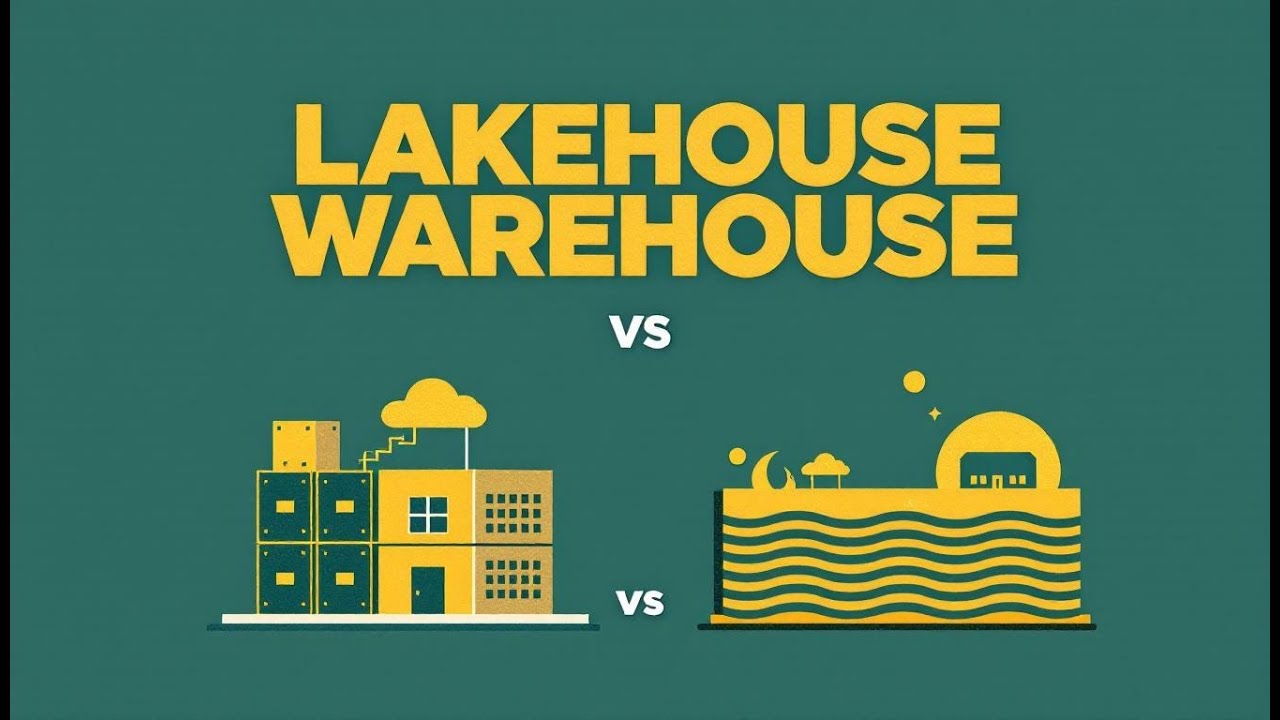
- Lakehouse vs Warehouse: Microsoft’s Naming Roulette When people first hear “Lakehouse” and “Warehouse,” it sounds like two flavors of the same thing. Same word ending, both live inside Fabric, so surely they’re interchangeable—except they’re not. The names are what trip teams up, because they hide the fact that these are different experiences built on the same storage foundation.
Here’s the plain breakdown. A Warehouse is SQL-first. It expects structured tables, defined schemas, and clean data. It’s what you point dashboards at, what your BI team lives in, and what delivers fast query responses without surprises. A Lakehouse, meanwhile, is the more flexible workbench. You can dump in JSON logs, broken CSVs, or Parquet files from another pipeline and not break the system. It’s designed for engineers and data scientists who run Spark notebooks, machine learning jobs, or messy transformations.
If you want a visual, skip the sitcom-length analogy: think of the Warehouse as a labeled pantry and the Lakehouse as a garage with the freezer tucked next to power tools. One is organized and efficient for everyday meals. The other has room for experiments, projects, and overflow. Both store food, but the vibe and workflow couldn’t be more different.
Now, here’s the important part Microsoft’s marketing can blur: neither exists in its own silo. Both Lakehouses and Warehouses in Fabric store their tables in the open Delta Parquet format, both sit on top of OneLake, and both give you consistent access to the underlying files. What’s different is the experience you interact with. Think of Fabric not as separate buildings, but as two different rooms built on the same concrete slab, each furnished for a specific kind of work.
From a user perspective, the divide is real. Analysts love Warehouses because they behave predictably with SQL and BI tools. They don’t want to crawl through raw web logs at 2 a.m.—they want structured tables with clean joins. Data engineers and scientists lean toward Lakehouses because they don’t want to spend weeks normalizing heaps of JSON just to answer “what’s trending in the logs.” They want Spark, Python, and flexibility.
So the decision pattern boils down to this: use a Warehouse when you need SQL-driven, curated reporting; use a Lakehouse when you’re working with semi-structured data, Spark, and exploration-heavy workloads. That single sentence separates successful projects from the ones where teams shout across Slack because no one knows why the “dashboard” keeps choking on raw log files.
And here’s the kicker—mixing up the two doesn’t just waste time, it creates political messes. If management assumes they’re interchangeable, analysts get saddled with raw exports they can’t process, while engineers waste hours building shadow tables that should’ve been Lakehouse assets from day one. The tools are designed to coexist, not to substitute for each other.
So the bottom line: Warehouses serve reporting. Lakehouses serve engineering and exploration. Same OneLake underneath, same Delta Parquet files, different optimizations. Get that distinction wrong, and your project drags. Get it right, and both sides of the data team stop fighting long enough to deliver something useful to the business.
And since this all hangs on the same shared layer, it raises the obvious question—what exactly is this OneLake that sits under everything?
- OneLake: The Data Lake You Already Own Picture this: you move into a new house, and surprise—there’s a giant underground pool already filled and ready to use. That’s what OneLake is in Fabric. You don’t install it, you don’t beg IT for storage accounts, and you definitely don’t file a ticket for provisioning. It’s automatically there. OneLake is created once per Fabric tenant, and every workspace, every Lakehouse, every Warehouse plugs into it by default. Under the hood, it actually runs on Azure Data Lake Storage Gen2, so it’s not some mystical new storage type—it’s Microsoft putting a SaaS layer on top of storage you probably already know.
Before OneLake, each department built its own “lake” because why not—storage accounts were cheap, and everyone believed their copy was the single source of truth. Marketing had one. Finance had one. Data science spun one up in another region “for performance.” The result was a swamp of duplicate files, rogue pipelines, and zero coordination. It was SharePoint sprawl, except this time the mistakes showed up in your Azure bill. Teams burned budget maintaining five lakes that didn’t talk to each other, and analysts wasted nights reconciling “final_v2” tables that never matched.
OneLake kills that off by default. Think of it as the single pool everyone has to share instead of each team digging muddy holes in their own backyards. Every object in Fabric—Lakehouses, Warehouses, Power BI datasets—lands in the same logical lake. That means no more excuses about Finance having its “own version” of the data. To make sharing easier, OneLake exposes a single file-system namespace that stretches across your entire tenant. Workspaces sit inside that namespace like folders, giving different groups their place to work without breaking discoverability. It even spans regions seamlessly, which is why shortcuts let you point at other sources without endless duplication. The small print: compute capacity is still regional and billed by assignment, so while your OneLake is global and logical, the engines you run on top of it are tied to regions and budgets.
At its core, OneLake standardizes storage around Delta Parquet files. Translation: instead of ten competing formats where every engine has to spin its own copy, Fabric speaks one language. SQL queries, Spark notebooks, machine learning jobs, Power BI dashboards—they all hit the same tabular store. Columnar layout makes queries faster, transactional support makes updates safe, and that reduces the nightmare of CSV scripts crisscrossing like spaghetti.
The structure is simple enough to explain to your boss in one diagram. At the very top you have your tenant—that’s the concrete slab the whole thing sits on. Inside the tenant are workspaces, like containers for departments, teams, or projects. Inside those workspaces live the actual data items: warehouses, lakehouses, datasets. It’s organized, predictable, and far less painful than juggling dozens of storage accounts and RBAC assignments across three regions. On top of this, Microsoft folds in governance as a default: Purview cataloging and sensitivity labeling are already wired in. That way, OneLake isn’t just raw storage, it also enforces discoverability, compliance, and policy from day one without you building it from scratch.
If you’ve lived the old way, the benefits are obvious. You stop paying to store the same table six different times. You stop debugging brittle pipelines that exist purely to sync finance copies with marketing copies. You stop getting those 3 a.m. calls where someone insists version FINAL_v3.xlsx is “the right one,” only to learn HR already published FINAL_v4. OneLake consolidates that pain into a single source of truth. No heroic intern consolidating files. No pipeline graveyard clogging budgets. Just one layer, one copy, and all the engines wired to it.
It’s not magic, though—it’s just pooled storage. And like any pool, if you don’t manage it, it can turn swampy real fast. OneLake gives you the centralized foundation, but it relies on the Delta format layer to keep data clean, consistent, and usable across different engines. That’s the real filter that turns OneLake into a lake worth swimming in.
And that brings us to the next piece of the puzzle—the unglamorous technology that keeps that water clear in the first place.
- Delta and Parquet: The Unsexy Heroes Ever heard someone drop “Delta Parquet” in a meeting and you just nodded along like you totally understood it? Happens to everyone. The truth is, it’s not a secret Microsoft code name or Star Trek tech—it’s just how Fabric stores tabular data under the hood. Every Lakehouse and Warehouse in Fabric writes to Delta Parquet format, which sounds dull until you realize it’s the reason your analytics don’t fall apart the second SQL and Spark meet in the same room.
Let’s start with Parquet. Parquet is a file format that stores data in columns instead of rows. That simple shift is a game-changer. Think of it this way: if your data is row-based, every query has to slog through every field in every record, even if all you asked for was “Customer_ID.” It’s like reading every Harry Potter book cover-to-cover just to count how many times “quidditch” shows up. Columnar storage flips that around—you only read the column you need. It’s like going straight to the dictionary index under “Q” and grabbing just the relevant bits.
That means queries run faster, fewer bytes are read, and your cloud bill doesn’t explode every time someone slices 200 million rows for a dashboard. Parquet delivers raw performance and efficiency. Without it, large tables turn into a laggy nightmare and cost far more than they should. With it, analysts can run their reports inside a coffee break instead of during an all-hands meeting.
But Parquet alone just gives us efficient files. What it doesn’t give us is control, reliability, or sanity when teams start hammering the same datasets. That’s where Delta Lake comes in. Delta wraps around those Parquet files and adds the boring grown-up stuff: ACID transactions, schema enforcement, and table versioning. These are the features that stop your data from splitting into five inconsistent versions the second multiple engines touch it.
In practical terms, Delta means every change is tracked, atomic, and consistent. If an update fails halfway, you don’t wake up to a half-broken table. Delta also gives “time-travel”—you can run queries as your table looked last week or last month. That’s huge when someone asks why numbers changed between two board decks. And on top of that, it comes with operational smarts: cleaning up stale files, compacting things so queries don’t degrade, and keeping performance tight over time.
What makes this combo special for Fabric is that both SQL engines and Spark engines can hit the exact same Delta Parquet table at the same time. No more cloning the sales dataset into three different places just because your SQL dev refused to touch Spark, and your data scientist refused to play with row blobs. Everyone talks to the same files, with consistency baked in. That’s the operational win: instead of data teams building silos out of paranoia, they can actually collaborate without trashing each other’s work.
Picture the alternative without Delta. SQL devs spin up their own warehouse export because raw lake files aren’t reliable. Data engineers create their own Spark-friendly copies, because SQL doesn’t play nice. Marketing grabs a CSV snapshot from last Tuesday and calls it official. Suddenly, the same dataset exists in three formats, with three slight variations, and the meeting turns into a blame game about why “Q2_sales” doesn’t add up. Delta kills that chaos by letting everyone work against the same single version of the truth.
From a business angle, this matters more than the acronyms. With Delta Parquet, you get fewer duplicate copies, faster queries, and less hand‑wringing between SQL and Spark teams. Analysts get their structured queries running fast. Data engineers update and transform on the fly without wrecking the schema. Leaders finally see consistent numbers without someone building Excel macros in the background to reconcile reports. Nobody publishes “final_FINAL_v2.xlsx” anymore, because that mess doesn’t exist in the first place.
And this is why a Fabric Lakehouse isn’t just a dumping ground of files. Thanks to Parquet’s efficiency and Delta’s reliability, it behaves much more like a proper database—fast, consistent, and trustworthy. That means you can query, collaborate, rewind to a prior state, and actually trust the answer. Not flashy, not glamorous—but it’s the foundation that keeps the whole system from collapsing under its own sprawl.
Of course, once your files start acting like clean tables, the next headache shows up: how do you avoid every team hauling around their own giant copy just to get access? Because nothing sabotages performance faster than three terabytes being shuffled back and forth like oversized email attachments.
- Shortcuts: Sharing Without Duplicating (Finally) Shortcuts are where Fabric finally earns its keep. Instead of multiplying datasets like rabbits, a shortcut just says, “That file lives over there—treat it like it’s here.” No extra copies, no bloated bills, no late-night reconciliation calls. It’s not flashy, but the payoff is immediate: one dataset, many references, lower costs, and a lot less arguing about which version is the “real” one.
Think of it this way: in the old world, every department made its own clone. Finance copied sales data into its workspace. Marketing copied the same thing again. Data science cloned it a third time just so Spark jobs wouldn’t crash. Five copies later, you’re paying five times the storage and holding weekly meetings to untangle which one was official. With shortcuts, that model is gone. You don’t move or replicate anything—you just plant a pointer. Suddenly, the dataset is visible where you need it, without chewing up your tenant’s footprint. No copies = lower storage bills and fewer reconciliation meetings.
The scope of these shortcuts is broader than most people realize. In Fabric, you can shortcut to data already in OneLake, across other workspaces, or even external sources like Azure Data Lake Storage Gen2, Amazon S3, and Dataverse. That list matters because no company’s data lives in just one clean lake. Someone always has history tucked away in S3, another group drops regulated records into Dataverse, and your engineers still have pet projects in ADLS. Instead of paying for consultants to build another batch pipeline, you drop a shortcut and Fabric treats the data like it’s local. This alone saves weeks of project time and a lot of angry eye rolls in steering meetings.
And here’s a pro tip: use shortcuts as a first step before migrating data. If your org isn’t ready to dump everything into Fabric on day one, shortcuts give you a bridge. Point to your existing S3 bucket or ADLS account, start analyzing in Fabric, and skip the frantic “rip and replace” pipeline rewrite. Later, if you want to consolidate into OneLake, fine. But shortcuts let you get business results today without blowing up your architecture.
That simplicity is also where the hidden governance traps live. Shortcut security isn’t uniform. If you hit data through Spark, the shortcut enforces the target’s underlying permissions—your identity gets checked directly. But if you query through SQL, it works differently: the engine defers to the shortcut creator’s identity, not every person running the query. Translation: if the person who built the SQL object had access, everyone else executing against it also gets through under their access. That can be brilliant when managed right—or a compliance nightmare if someone casually sets a shortcut to restricted payroll data. The fix is obvious but often overlooked: treat shortcut creators as de facto gatekeepers and audit who can publish them.
The cultural difference is huge. Before shortcuts, teams waved “official dataset” flags like medieval banners, except three other teams carried their own flags too. A sales report might exist in four versions, trimmed differently for execs, analysts, and engineers—none of which lined up. I’ve sat through calls where IT spent an entire weekend reconciling variances that didn’t exist in the source system, just in the copies. Shortcuts break that cycle. The dataset exists once. Everyone references it. Period. That’s it.
From an operational standpoint, shortcuts do two simple but critical things: they shrink your storage footprint and they stop pipeline sprawl. The “copy and paste” approach to data led to armies of half-broken ETL jobs humming along in forgotten integration accounts. Shortcuts strip away that overhead. One dataset, one upkeep, infinite re-use. Teams spend less time moving files and more time asking meaningful questions.
So the bottom line: shortcuts aren’t a toy feature—they’re the single biggest fix to the copy-and-paste madness of enterprise storage. They let you unify data across workspaces and clouds without rewriting everything, and done properly they make governance cleaner, not harder. One truth, many references.
But eliminating duplicate data only solves half the pain. Once everyone starts working against the same objects, the bigger risk becomes how they use them. Because nothing tanks collaboration faster than three teams marching into the same workspace and trampling each other’s files.
- Workspaces and Governance: Keeping Teams From Tripping Over Each Other If shortcuts stop the copy‑and‑paste madness, workspaces and governance are what stop chaos from creeping back in through the side door. This is the part where Fabric either stays clean or turns into the world’s most expensive junk drawer.
Here’s how Microsoft structured it. Think nesting dolls: at the very top you’ve got your tenant. That’s one per organization, and it’s where compliance boundaries live and the tenant admin holds the master keys. Inside that, you spin up workspaces. Each workspace is a box for a project or a department, with its own roster and rules. And inside those boxes sit the items you actually care about—lakehouses, warehouses, reports, notebooks. Tenant → workspace → items. The hierarchy is intentional; each layer hands down its rules to the layer beneath it.
Now, workspaces themselves come with four pre‑set roles, and it’s worth knowing them cold. Admins own everything—full control, add or remove people, reassign roles at will. Members can create and edit across the workspace. Contributors can make new items but don’t get to manage other people’s stuff. Viewers are strictly read‑only. That’s it: four roles, four levels of power. And for once Microsoft kept the names simple enough that your manager can follow along. Assign these roles carefully, and you’ll save yourself the joy of two VPs overwriting each other’s dashboards.
But you don’t stop there. Sometimes a person only needs to peek, not touch. That’s where item‑level permissions step in. These come in neat chunks: Read lets someone see the metadata and consume reports without touching source data. ReadData is for SQL—grants them query rights against tables through the SQL endpoint. And ReadAll? That’s full access for Spark; wide‑open table reads without SQL fuss. Hand out ReadAll only to your bona fide engineers, not to the intern who just learned what Spark is yesterday. Used correctly, item permissions decouple workspace membership from sensitive access and let you control exposure one artifact at a time.
Then there’s compute‑level security, which is where things get interesting. SQL endpoints give you fine‑grained controls like table filters and row‑level security. That’s how Finance sees just their regional slice while still pointing to the same warehouse. But here’s the catch: Spark doesn’t care about those SQL restrictions. Spark respects item‑level permissions like ReadAll, then loads the files from OneLake directly. Translation: if you need airtight row‑level governance, enforce it through the SQL routes. If you hand someone Spark ReadAll, they’re seeing everything, no matter how clever your SQL RLS setup is. So design your workflow with this split model in mind, or I promise you’ll field awkward questions in the audit.
What about organizing the workspaces themselves? Best practice is simple, but ignored everywhere. Either carve them by domain—the data mesh model—or by environment, like DEV, UAT, PROD. Both are proven patterns, and both reduce the mess. A domain‑driven mesh means Finance owns the finance workspace, Marketing owns theirs, and they share curated outputs instead of meddling inside each other’s data. An environment‑driven design works better if you’re a central BI team running production pipelines and need clean promotion paths. In either approach, protect shared consumption with item permissions and SQL row‑level security so consumers get what they need without rummaging through staging.
Skip this structure and you’ll get the nightmare. Multiple models of the “same truth,” duplicate shortcuts pointing to the same files with different names, and executives trading revenue numbers like baseball cards. I’ve cleaned that one up before—it takes longer than anyone wants to admit. Put the governance in day one, and suddenly Fabric feels like an enabler, not another battleground.
One last piece is discovery. Fabric ties into Purview so people can search across workspaces, spot existing datasets, and stop recreating them. Think of it as a catalog: boring, but life‑saving. Without it, every fresh analyst is hunting blind and duplicating data products just to get unstuck. With it, you get visibility, consistency, and fewer late‑night merges of “v2_final.”
That’s the payoff. Good governance means data mesh and hub‑and‑spoke both work in the same tenant. Executives, analysts, and engineers share durable products instead of clones. You get collaboration without handing away the keys to everything sensitive. It’s not flashy—it’s the lines on the road that keep the traffic flowing.
And once you see that, the picture of Fabric comes together. All the naming noise aside, the underlying parts—OneLake, Delta, shortcuts, and governance—actually solve real problems.
- Conclusion So here’s the blunt wrap-up: one pool, fewer copies, consistent reports, lower storage costs. IT stops firefighting duplicate datasets, analysts stop arguing with engineers, and leadership finally looks at numbers that line up without someone whispering, “don’t trust slide three.” That’s the actual payoff. A Forrester TEI study cited in industry materials even reported a 379% ROI over three years for organizations deploying Fabric. Translation: the fixes aren’t just cleaner—they’re cheaper.
Subscribe to the M365.Show newsletter at m365.show and leave a review—it’s basically the +5 buff that keeps this content rolling. Think of it as your XP contribution to the data guild.

