
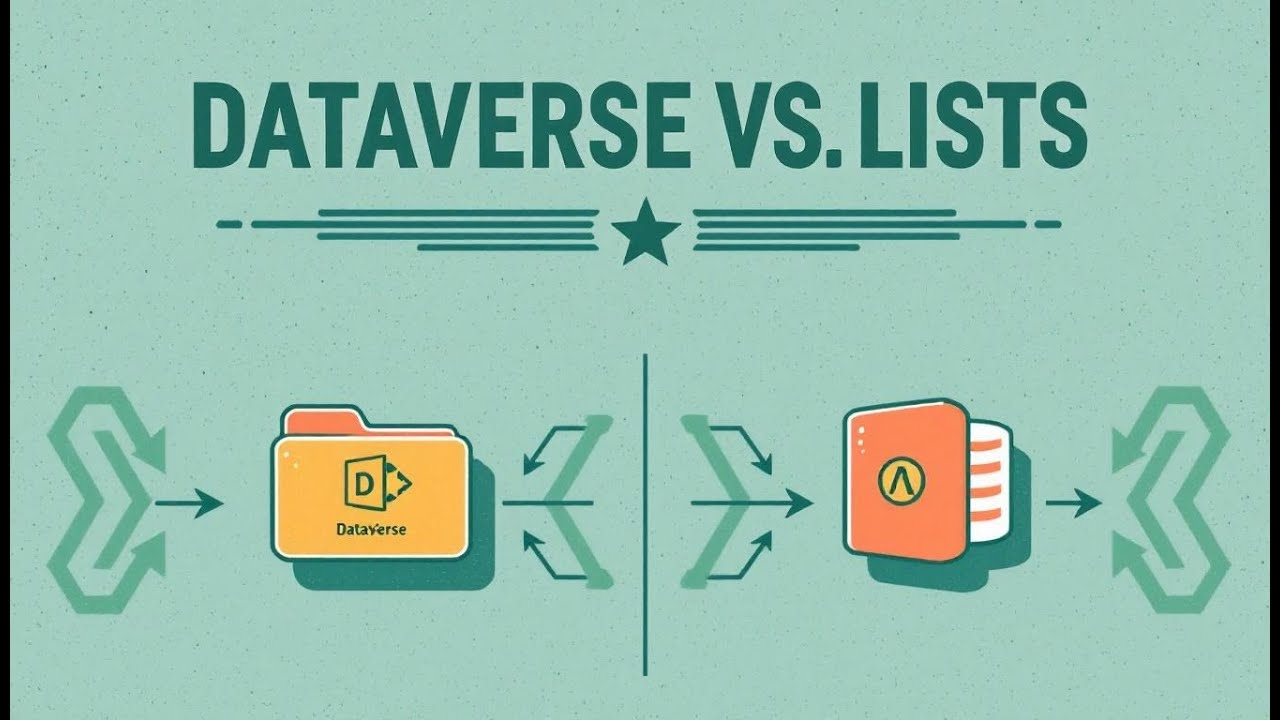


The Dataverse Migration Nobody Wants (But Needs)
This episode cuts through the confusion around Dataverse data migration and explains, in plain language, how to move data between environments without breaking your schema, losing your relationships, or waking up to a support queue full of duplicate records. You’ll hear why data migration has quietly become one of the most essential skills for Power Platform teams, and how the right mix of tools—Configuration Migration Tool, dataflows, Power Automate, and the broader Power Platform stack—turns a painful, error-prone process into a predictable, governed pipeline.
We start by grounding everything in what Dataverse actually is: not just tables and rows, but a secure, relational, cloud-first data backbone built around business logic, unique identifiers, and strict data integrity rules. From there the episode dives into the real decisions teams face when migrating—how configuration data behaves differently from transactional data, why alternate keys matter more than people assume, and how relationships and lookup columns can make or break a migration if you don’t design for them upfront.
Then we explore the migration tools themselves, not as menu options but as strategies. You learn where the Configuration Migration Tool shines and why it’s irreplaceable for reference data, how dataflows transform raw source files into clean Dataverse tables, and why Power Automate becomes the glue for ongoing, automated migration patterns between environments. We also demystify the role of XrmToolBox and explain when you need it and when you absolutely don’t.


Migrate Dataverse Data: Migration Tools & Dataflows
In today's data-driven landscape, understanding how to effectively migrate data within Microsoft Dataverse is essential for organizations leveraging the Power Platform and Dynamics 365, particularly when managing identifiers. Data migration is the process of moving data from one location to another, whether it's upgrading systems, consolidating data, or setting up new environments. This article aims to provide a comprehensive guide to the available tools and techniques for migrating data to Dataverse, ensuring a smooth and efficient migration process. Whether you're dealing with configuration data or table data, mastering data migration is key to maximizing the potential of your Dataverse environment.
Introduction to Dataverse and Data Migration
What is Microsoft Dataverse?
Microsoft Dataverse is a cloud-based data storage and management service that allows you to securely store and manage data used by business applications. As part of the Microsoft Power Platform, Dataverse enables the creation of powerful applications using Power Apps, Power Automate, and Power BI. It provides a scalable and secure platform for storing a variety of data, from simple text and numbers to complex relational data and unstructured files. Understanding Dataverse is crucial for anyone looking to build and deploy business solutions within the Microsoft ecosystem, especially when considering how to migrate data from other sources or environments.
Importance of Data Migration in Dataverse
Data migration is a critical process when moving data to Dataverse, consolidating environments using dataflows, or upgrading existing systems within Microsoft 365. Effective data migration ensures that valuable information is accurately and securely transferred from the source environment to the target environment. Whether you are importing data to Dataverse, moving data between environments, or exporting data for backup or analysis, a well-executed data migration strategy minimizes data loss, reduces downtime, and maintains data integrity. This is particularly important when migrating Dataverse data and leveraging features like lookup columns and relationships between Dataverse tables.
Overview of Migration Tools Available
Several migration tools are available to facilitate moving Dataverse data, each designed for specific scenarios. The Configuration Migration Tool in Dataverse is ideal for migrating configuration data and reference data between environments, ensuring that the primary key is preserved. Dataflows provide a robust solution for importing data and automating data transformations from various data sources to Dataverse. Power Automate can be used to automate data migration processes and integrate with other Microsoft services. Additionally, tools like XrmToolBox offer functionalities for more complex data migration tasks, especially when dealing with alternate keys. Choosing the right migration tool depends on the volume of data, the complexity of the schema, and the desired level of automation.
Understanding Migration Tools
Types of Migration Tools for Dataverse
When considering data migration for Microsoft Dataverse, several types of migration tools cater to different needs. The Configuration Migration Tool in Dataverse is specifically designed for moving configuration data and reference data between environments. Dataflows, a Power Platform feature, excel at importing data from various data sources into Dataverse, enabling automated data transformations. Power Automate provides capabilities to automate migration processes, and third-party tools like XrmToolBox offer advanced functionalities. The selection of the appropriate migration tool significantly impacts the efficiency and accuracy of the migration process.
Configuration Migration Tool in Dataverse
The Configuration Migration Tool in Dataverse is a specialized migration tool used to migrate configuration data and reference data. This tool is particularly useful when deploying solutions across different Microsoft Dataverse environments or when setting up a new Dataverse environment. The Configuration Migration Tool simplifies the process of exporting and importing configuration data, ensuring consistency across environments. By utilizing this migration tool, organizations can efficiently manage and maintain their Dataverse configurations, reducing the risk of errors and streamlining deployment processes.
Power Platform Integration with Migration Tools
The Power Platform offers robust integration capabilities with various migration tools, enhancing the efficiency and automation of data migration processes. Dataflows, a key component of the Power Platform, enable seamless import of data to Dataverse from diverse data sources, supporting automated data transformations. Power Automate can automate migration workflows, integrating with the Dataverse connector and other Microsoft 365 services, including the use of unique identifiers for data integrity. This integration simplifies data migration, allowing organizations to efficiently manage data between environments using dataflows and other Power Platform tools, ensuring data integrity and consistency.
Dataflows for Efficient Data Migration
What are Dataflows?
Dataflows, an integral component of the Power Platform, are a powerful migration tool designed to simplify the process of moving Dataverse data from various data sources into Microsoft Dataverse. These dataflows allow users to import data and transform it before loading it into Dataverse tables. Utilizing dataflows, organizations can connect to diverse data sources, such as Azure, SQL Server, and Excel, making it easier to migrate data to Dataverse environments. With dataflows, the complexities of data migration are significantly reduced, allowing for efficient and automated data integration.
Utilizing Dataflows to Move Data Between Environments
Dataflows are invaluable when moving Dataverse data between environments using dataflows. They enable organizations to set up scheduled data refreshes, ensuring that the target environment always reflects the most current information from the source environment. This is particularly useful when migrating data between development, testing, and production environments using dataflows. With dataflows, transformations can be applied during the import process, ensuring that the data meets the requirements of the destination environment. This makes dataflows a crucial migration tool for managing and synchronizing data across different Dataverse environments.
Best Practices for Using Dataflows in Dataverse
To maximize the effectiveness of dataflows in Dataverse, it’s essential to follow best practices during the migration process. First, carefully plan the dataflow, defining the data source, transformations, and destination table name. Use incremental refreshes to migrate data to Dataverse efficiently, especially for large datasets. Implement error handling to manage and resolve any issues during the import process, ensuring data integrity. Additionally, monitor dataflow performance to identify and address any bottlenecks, optimizing data migration efficiency within Microsoft Dataverse. Properly configured and managed dataflows can significantly streamline the data migration process.
Steps to Migrate Data to Dataverse
Preparing Your Target Environment
Before beginning any data migration, preparing your target environment is crucial. Ensure your Microsoft Dataverse environment is properly configured to receive the incoming data. Define the schema for the destination tables and ensure that all required lookup columns and relationships are correctly set up. Verify that you have the necessary Dataverse license and permissions to perform the data migration, especially when working with data export tasks. Clean and validate your source data to minimize errors during import. Properly preparing your target environment ensures a smoother and more efficient data migration process, particularly when dealing with unique identifiers.
Configuring the Migration Process
Configuring the migration process involves selecting the appropriate migration tool based on the data type and complexity of your Dataverse data. For configuration data, use the Configuration Migration Tool in Dataverse. For large volumes of table data, leverage dataflows for efficient import into another environment. When using dataflows, define the data source, transformations, and destination table name to ensure clarity. Map the columns from the source to the target schema, ensuring data integrity. Configure incremental data refreshes and set up error handling to manage any issues that arise during the data migration. Proper configuration is vital for a successful data migration.
Automating Data Migration with Power Automate
Automating data migration with Power Automate can significantly streamline the process, reducing manual effort and ensuring consistent data updates. Power Automate allows you to create automated workflows that trigger data migration tasks based on specific events or schedules, facilitating the movement of data to another environment. You can use the Dataverse connector to connect to your Microsoft Dataverse environments and perform various actions, such as importing data, updating records, or exporting data. Integrating Power Automate with dataflows enables you to automate complex data transformations and load processes. By automating data migration, organizations can enhance efficiency and reduce the risk of errors.
Challenges and Solutions in Dataverse Migration
Common Challenges in Data Migration
Data migration to Microsoft Dataverse presents several common challenges, such as maintaining unique identifiers, that organizations must address to ensure a smooth and efficient migration process. One significant challenge is data quality, which involves ensuring that the data being migrated is accurate, complete, and consistent. Incompatible data schemas between the source and target environments can also pose a challenge, requiring careful mapping and transformation of data. Another hurdle is managing large volumes of data, which can impact performance and require efficient migration strategies using tools like dataflows. Addressing these challenges proactively is crucial for successful data migration.
Strategies to Overcome Migration Issues
To overcome migration issues when moving Dataverse data, organizations should adopt several key strategies. Start by conducting a thorough assessment of the source data to identify and rectify any data quality issues before the migration process begins. Carefully plan the data migration, mapping the schema between the source and destination environments to ensure compatibility. Utilize appropriate migration tools, such as dataflows, to handle large volumes of data efficiently across environments using the dataflows. Implement robust error handling mechanisms to address any issues that arise during the migration. Regularly monitor the migration process to identify and resolve any bottlenecks or errors promptly. These strategies will help ensure a successful and smooth data migration.
Case Studies of Successful Data Migration
Examining case studies of successful data migration to Dataverse can provide valuable insights and best practices. One such case study involves a large retail company that migrated its customer data from an on-premises database to Microsoft Dataverse. By using dataflows to import data and Power Automate to automate the migration process, the company was able to efficiently move data and improve customer engagement. Another case involves a healthcare organization that migrated its patient data to Dataverse, leveraging the Configuration Migration Tool for configuration data and ensuring data integrity. These case studies highlight the importance of careful planning, the right choice of migration tool, and diligent execution for successful outcomes when migrating Dataverse data.
Conclusion and Future of Data Migration in Dataverse
Summary of Key Takeaways
In summary, successful data migration to Microsoft Dataverse requires a comprehensive understanding of the available migration tools, including the Configuration Migration Tool in Dataverse, dataflows, and Power Automate. Careful planning, thorough data assessment, and the selection of the appropriate migration strategy are essential. Using dataflows effectively, organizations can automate data transformations and ensure data integrity during the import process. By following best practices and learning from successful case studies, organizations can minimize risks and maximize the benefits of migrating Dataverse data.
Future Trends in Dataverse Dataflows
The future of data migration in Dataverse is likely to be shaped by several key trends. Increased integration with AI and machine learning will enable smarter data transformations and improve data quality during the migration process, particularly for migrated tables. Enhanced automation capabilities in Power Automate will further streamline migration workflows, reducing manual effort and ensuring the primary key is maintained. Additionally, improved support for diverse data sources and formats in dataflows will make it easier to import data from various systems, including custom tables. These advancements will make data migration more efficient, reliable, and accessible for organizations using the Power Platform.
Final Thoughts on Migrating Dataverse Data
Migrating data to Dataverse is a critical undertaking that, when executed effectively, can significantly enhance an organization's ability to leverage the Power Platform and Dynamics 365. By carefully selecting the appropriate migration tools, implementing robust data governance practices, and continuously monitoring the migration process, organizations can ensure data integrity and minimize risks. As Microsoft continues to enhance the capabilities of Dataverse and its associated migration tools, staying informed and adopting best practices will be crucial for achieving successful data migration outcomes, enabling organizations to fully realize the potential of their data.
Summary
Planning The Dataverse Migration Nobody Wants is more than a tech effort — it’s an organizational shift. In this episode, I walk through why teams procrastinate moving to Dataverse, and how to turn the migration from a dreaded burden into a strategic win. We’ll talk about what to audit first, how to map old customizations into modern tables & relationships, and how to minimize downtime during switchover.
I also share real stories of migrations that went wrong — missing fields, broken automations, mismatched schema assumptions — and how you can avoid those pitfalls. By the end, you’ll understand that the migration is not just about moving data — it’s about rethinking how your processes, permissions, and integrations all change under the new model.
What You’ll Learn
* Why many organizations delay or avoid Dataverse migrations entirely
* How to audit your current architecture: custom tables, fields, business logic, integrations
* Strategies to map legacy models into Dataverse’s relational structure
* How to manage automations (Power Automate, Plugins) during migration
* Minimizing downtime — approaches for cutover, parallel run, fallback
* Pitfalls to avoid: data loss, schema drift, permission leaks, integration mismatch
Full Transcript
Look, we joke about Microsoft licensing being a Rubik’s cube with missing stickers—but Dataverse isn’t just that headache. Subscribe to the M365.Show newsletter now, because when the next rename hits, you’ll want fixes, not a slide deck.
Here’s the real story: Dataverse unlocks richer Power Platform scenarios that make Copilot and automation actually practical. Some features do hinge on extra licensing—we’ll flag those, and I’ll drop Microsoft’s own docs in the description so you can double‑check the fine print.
Bottom line: Dataverse makes your solutions sturdier than duct tape, but it brings costs and skills you need to face upfront. We’ll be blunt about the skills and the migration headaches so you don’t get surprised.
And that starts with the obvious question everyone asks—why not just keep it in a List?
What Even Is Dataverse, and Why Isn’t It Just Another List?
So let’s clear up the confusion right away—Dataverse is not just “another List.” It’s built as a database layer for the Power Platform, not a prettier SharePoint table. Sure, Lists give you an easy, no-license-required place to start, but Dataverse steps in when “easy” starts collapsing under real-world demands.
Here’s why it actually matters: Lists handle simple tables—columns, basic permissions, maybe a lookup or two if you’re lucky. Dataverse takes that same idea and adds muscle. Think:
* Proper relationships between tables (not duct tape lookups).
* Role-based security, down to record and field level.
* Auditing and history tracking baked right in.
* Integration endpoints and APIs ready for automation.
That’s why I call it SharePoint that hit the gym. It’s not flexing for show; it actually builds the structure to handle business-grade workloads.
But let’s be fair—Lists feel fantastic the day you start. They’re fast, simple, and solve the nightmare of “project_final_FINAL_v7.xlsx” on a shared drive. If your team just needs a tracker or a prototype, they work beautifully. That’s why people keep reaching for them. Convenience wins, until it doesn’t.
I’ve watched this play out: someone built a small project tracker in a List—simple at first, then it snowballed. Extra columns, multiple lookups, half the org piling on. Flows started breaking, permissions turned messy, and the whole thing became a fight just to stay online. At that point, Dataverse didn’t look like overkill anymore—it looked like the life raft.
And that, right there, is the pivot. Lists hit limits when you try to bolt on complexity. Larger view thresholds, too many lookups, or data models that demand relationships—it doesn’t take long before things wobble. Microsoft even has docs explaining these constraints, and I’d link those in the description if you want the exact numbers. For now, just understand: Lists scale only so far, and Dataverse is designed for everything beyond that line.
The shorthand is this: Lists = convenience. Dataverse = structural integrity. One is the quick patch; the other is the framework. Neither is “better” across the board—it comes down to fit.
So how do you know which way to go? Here’s a simple gut-check:
* Will your data need relationships across different objects? Yes → lean Dataverse. No → List could be fine.
* Do you need record-level or field-level security, or auditing that stands up to compliance? Yes → Dataverse. No → List.
* Is this something designed to scale or run a business-critical process long-term? Yes → Dataverse. No → List probably gets you there.
That’s it. No flowcharts, just three questions. Keep in mind that Dataverse brings licensing and governance overhead; Lists keep you quick and light. You don’t pick one forever—you pick based on scope and durability.
Bottom line, both tools have a place. Lists cover prototypes and lightweight needs. Dataverse underpins apps that must handle scale, control, and governance. Get that match wrong, and you either drown in duct tape or overspend on armor you didn’t need.
And this is where it gets interesting—because neither choice is flawless. Both have wins, both bring pain, and SQL still sits in the background like the grumpy uncle nobody can retire. That’s where we head next: the good, the bad, and the ugly of stacking Lists against Dataverse.
The Good, The Bad, and The Ugly of Lists vs Dataverse
Let’s be honest—none of these tools are perfect, and each will betray you if you put it in the wrong role. Lists, Dataverse, SQL: they all have their moments, they all have their limits, and they all have their specific ways of nuking your weekend. The real pain doesn’t come from the tools themselves—it comes from picking the wrong one, then acting shocked when it falls apart.
So here’s the practical version of “the good, the bad, and the ugly.” Instead of dragging this out with a dating analogy *and* a food analogy, let’s just call it what it is: three tools, three trade-offs.
* Lists are fast, low-cost, and anyone in your org who can open Excel can learn to use one. They’re perfect for quick fixes or lightweight projects, and they spare you extra license drama. But scale them up with multiple related lists or heavy lookups, and you’re duct-taping duct tape. Your “tracker” quickly mutates into a swamp of random errors and warning dialogs no one can explain.
* Dataverse is structured and secure—it gives you real data relationships, role-based access, and features tuned for Power Platform apps. It’s the reliable backbone when compliance, auditing, or long-term apps are involved. The catch? It comes with licensing twists and storage costs that pile up fast. I won’t pretend to list exact tiers here—check the official Microsoft docs linked in the description if you need numbers—but the point is simple: Dataverse is powerful, but it carries an ongoing bill, both in dollars and skills.
* SQL is legendary. It’s got power, flexibility, and the longest resume in the room. But most makers can’t touch it without a crash course in dark arts like permissions, indexing, and joins. For citizen developers, SQL is basically a locked door with a “you must be this tall to ride” sign. If your team doesn’t already have a DBA in their corner, it’s not where your Power Platform app should live.
Each of these fails for a different reason. Lists fail when they get overloaded—suddenly you’re fighting view thresholds, broken lookups, and flows that stall out of nowhere. Dataverse fails when you underestimate the cost—it looks “included” at first, then you trigger the premium side of licensing and find out your budget was imaginary. SQL fails when you throw non-technical staff into it—it becomes an instant graveyard of half-finished apps no one can manage.
So how do you decide? A simple ground rule: if you’re feeding a production app that multiple teams depend on, lean toward Dataverse unless your IT group has good reasons to keep SQL at the center. If it’s genuinely small or disposable, Lists handle it fine. And if you’re staring at an old SQL server in someone’s closet, understand that it may be reliable, but it’s also not where Microsoft is building the future.
The key is clarity up front: map which tool belongs to which kind of project *before* anyone starts building. Otherwise, you’re not just choosing a tool—you’re scheduling your own emergency tickets for six months from now. Trust me, there’s nothing fun about explaining to your manager why the project tracker “just stopped working” because someone added one lookup too many.
Here’s the bottom line. Lists win for lightweight and short-term needs. Dataverse shines for scalable, governed apps with security and automation at the core. SQL is still hanging around out of necessity, but for many orgs, it’s more habit than strategy. Get the match wrong, the cost hits you in wasted hours, failed apps, or invoices you didn’t plan for.
And speaking of cost, that’s where we go next. Because once you admit Dataverse might be the right choice, the real question isn’t about features anymore—it’s about what the bill looks like. Next up: how much will this actually cost in time and money?
The Cost Nobody Puts in the Demo Slide
Here’s the thing nobody shows you in a slick demo: the real cost doesn’t stop at “it runs” and a smiling screenshot. The marketing slides love telling you what Dataverse can do; they conveniently forget the part where you realize halfway through rollout that Microsoft charges for more than just buttons and tables. That gap between demo-land and production reality? That’s where teams get burned.
Think of it like this: you budget for a bicycle, then Microsoft hands you not only the bike but also a helmet, gloves, reflective gear, and a bill for a maintenance plan you didn’t ask for. Licensing feels the same. It isn’t that Dataverse is a rip-off—it’s that there are layers most people don’t count for until the invoice hits. Expect licensing and storage to be the two knobs that turn your monthly bill higher. If you’re serious about adopting it, budget for capacity and premium features early instead of scrambling later.
Makers often assume Dataverse is “free” because it shows up bundled in some trial or baked into their tenant. That’s the trap. Trials are temporary, and not every license covers production use. Don’t assume those trial checkboxes equal long-term rights. Validate your licenses with procurement before you migrate a single workload. If you miss that step, you’ll find yourself explaining to leadership why your shiny new enterprise app now needs a premium plan. Pro tip: include a licensing checklist in your planning doc. Better yet, grab the one we’ll link in the description or newsletter—it’ll save you from guessing.
Here’s a quick budgeting checklist you should actually run before rollout:
* Estimate how much storage and number of records your app will use, not just day one but six months in.
* Identify which premium connectors or features your app actually requires—those are often the hidden multipliers.
* Budget for a skills ramp, because even if you “have the licenses,” someone still needs to know how to design the schema and set up governance.
That’s it—three steps that keep you out of the licensing quicksand. Miss them, and you’re the person adding random storage add-ons like impulse buys at checkout. It’s a little like Candy Crush—you think it’s just one more booster until you look at the credit card statement.
But money’s not the only cost. Time adds up just as fast, and it’s a lot harder to measure or justify on a spreadsheet. Lists let people wing it—you spin them up, toss in some columns, and move on. Dataverse isn’t that forgiving. It expects you to treat it like a system, not a sticky note. That means schemas, roles, solution layers, and governance to plan in advance. The best shorthand? Treat Dataverse as a project: plan schema, roles, and governance up front. Thinking you’ll “figure it out along the way” is how you bury hours in redesign and rework.
Here’s the hidden tradeoff. Dataverse bills you early—you pay licensing, you pay effort, you pay training. It feels heavier on day one. Lists look free at first, but the debt comes due later: patches, rebuilds, broken flows, and IT firefighting every quarter. Skip Dataverse, and you may save cash now but burn hundreds of staff hours quietly in the background. Pay early, or pay often.
Not buying Dataverse often means inventing clunky workarounds. Need record-level security? You try bending SharePoint groups into shape. Need an audit trail? You glue flows together to dump logs into Excel. Need something to scale? You start splitting a large list into “child lists” with cross-references. None of those moves are free; they cost in time and complexity. Clever hacks age poorly, and eventually someone has to pay the maintenance bill.
Seen another way, Dataverse front-loads its pain: you spend money and effort up front. Lists back-load their pain: you spend “nothing” today, but you leak time for years. That wasted time is support tickets, late nights, and compliance headaches. Which bill you’d rather pay depends on how serious the app is supposed to be.
So here’s the blunt rule: don’t treat Dataverse like a hobby project. Budget for it like you would any infrastructure, because that’s exactly what it is. Treating it as a side feature hidden inside M365 just sets you up for nasty surprises later.
And remember, even if the budget gets approved, money alone won’t save you. Costs are predictable; the real speed bump is skills. That’s where most teams stall—because Dataverse doesn’t just ask for dollars, it asks for a different level of know-how. And that gap hits fast when makers assume it’s just “Lists with better branding.”
Makers Beware: Skills You Actually Need
Here’s where most makers hit a wall: Dataverse isn’t forgiving if you jump in assuming it works like the tools you already know. This section is about skills—the real ones you actually need before you drop production data into it. If Lists let you wing it, Dataverse expects you to show up with a plan.
The first rude awakening is data modeling. In Lists, you throw in a column or add a quick lookup and it feels fine. Dataverse makes you face relational design—how tables link, how data should be normalized, and how to prevent duplication. Build it wrong, and you don’t just annoy people with small errors—you end up with broken apps, weird results, and performance crawling to a stop.
Security is the other early gotcha. Dataverse uses role-based access, and you can’t just map SharePoint groups and hope it all works. You’ll need to think about table-level permissions and, when it’s required, record-level access. Expect to design roles carefully and actually test them, because it’s far too easy to let the wrong people touch data they shouldn’t. That’s not a scare tactic; it’s just what happens when makers assume “everyone in the team” means safe defaults.
Performance follows right behind. In Lists, you’re used to hitting view thresholds and filtering workarounds. With Dataverse, the limits show up differently—they come from sloppy structure, heavy duplication, or relationships that don’t make sense. If you don’t design with scale in mind, you’ll feel the lag fast. A simple fix? Test your app under load with a pilot group before announcing you’re live. Staged rollouts are cheaper than fixing a meltdown in production.
Now about Copilot. Yes, it can provide suggestions—it’ll nudge you toward column types or even help scaffold a schema. That’s a convenience, but it’s not a substitute for design. Copilot doesn’t understand your business rules, and it won’t know why finance data shouldn’t link the way marketing wants it to. Treat it like a helper in the room, not the architect of the house. I’d even recommend checking Microsoft’s Copilot guidance for makers—the doc’s linked in the description if you want the official roadmap on what it can and can’t do.
Here’s the stripped-down skills checklist you actually want in your toolbox before shipping real Dataverse apps: learn the basics of relational data modeling, understand security roles, pick up some Power Fx so you can handle business logic without hacks, and figure out how to test performance under real load. Those four skills are the difference between building an app your IT department shakes their head at or one they actually support long term.
And yes, the Tesla analogy applies—Dataverse feels like being handed the keys to a powerful system you don’t quite know how to drive. Lists are the tricycle you’ve been wobbling around on. Getting into Dataverse blind is how you end up in a ditch. If you’re handed the keys, schedule a short training session before you move anything to production. It’s not about being an expert overnight—it’s about avoiding mistakes that are painful to undo.
The upside here is big: the skills you need aren’t walls, they’re stepping stones. Once makers learn to structure tables, scope permissions properly, and keep performance in check, the apps they build stop being throwaway prototypes. They start looking like proper solutions that can scale, survive audits, and integrate cleanly into the rest of the platform. That’s where a maker begins to overlap with the work of pro devs and architects. That’s also where IT stops rolling their eyes every time they see another Power App request.
Think of it this way: without these skills, you’re babysitting fragile workflows, trying to unstick broken permissions, and chasing bug tickets you can’t explain. With them, you’re building things that stand up for months—or years—without your constant hand-holding. That’s not just an upgrade in tech; it’s an upgrade for how your team sees you.
So if makers want to cross the gap, it comes down to one decision: put in the upfront training or accept being stuck patching holes in production forever. The training path pays off every time.
But even with the skills in place, there’s still one more challenge you can’t avoid: what happens when you decide to move that heavily used List into Dataverse. That jump isn’t neat or automatic—and it’s where the real chaos often begins.
Migration Reality Check
You’ve probably got at least one List like this: a creaky old table that’s been patched, extended, and duct-taped for years but somehow still holds the weight of your team. Then leadership pipes up with, “Let’s shift it into Dataverse.” Sounds fine in theory. In practice, it’s more like redoing the wiring in a house while the lights are still on—nothing catches fire immediately, but you feel the risk in your bones.
Here’s the expectation reset: migrations are never a magic one-click job, no matter how tidy Microsoft marketing makes it look. Yes, official migration tools exist, but you don’t hit “migrate” on Friday and relax Monday morning. Every List has hidden baggage—calculated columns, funky views, flows that wrap around themselves like spaghetti. Those quirks that lived happily in SharePoint don’t translate neatly when Dataverse takes over.
For instance, in many migrations we’ve seen, entire workflows collapsed because they leaned on SharePoint List IDs—IDs that don’t align cleanly with Dataverse record identifiers. The data moved, but the flows keeled over. Same goes for security. Lists rely on SharePoint site security; Dataverse runs on role-based models. That’s not a straight swap. A designer who had edit access in SharePoint might suddenly see far more—or nothing at all—until you rebuild the roles sensibly. If you need specifics here, check Microsoft’s own migration documentation—we’ll drop that in the description.
Migration often feels like pulling a block from the base of a Jenga tower: maybe the structure wobbles, maybe it topples. Don’t lean on luck—this is where planning keeps you out of disaster.
Here’s a simple migration checklist worth running before you even touch the tool:
* Inventory what’s inside the List—columns, lookups, Power Automate flows, dependencies.
* Trim the junk data now. Old projects and duplicate junk eat expensive Dataverse storage if you carry them over.
* Map your fields and start designing equivalent security roles in Dataverse. Don’t assume it all ports over.
* Rebuild or test flows against Dataverse IDs to be sure they behave.
* Pilot with a small group of users, and always have a rollback plan.
That’s the skeleton plan. Each step bites into time up front, but it saves rework later.
The sneaky cost isn’t just time—it’s data gravity. SharePoint Lists trick people into hoarding. A folder full of ancient projects? Still there. Columns no one’s touched since 2017? Still there. Migration forces a choice: either haul all that dead weight into Dataverse and pay for extra storage, or finally clean house. Most smart teams use migration as the excuse to scrub their data and cut clutter before moving.
And that’s the real opportunity: migration can be a blessing if you treat it like a remodel instead of a forklift job. Half-broken flows become rebuilt and maintainable. Permissions hacked together with site groups get redesigned into proper roles. Sketchy calculated columns morph into clear business rules. Instead of dragging your mess forward, you rebuild a foundation in Dataverse that can actually handle tomorrow’s workloads.
But let’s not pretend it’s painless. Migration feels a lot closer to re-architecture than to copy-paste. If you run it like a file copy, you’ll spend weeks fixing fallout. If you treat it like re-architecture, you give your team a chance to land with something stronger than before. The short pain beats long-term chaos.
So, the take-home is this: respect migration. Budget time for cleanup, test cycles, security reviews, and user pilots. Skip those steps and the mess follows you. Approached right, you come out with structured data that’s easier to govern, ready for automation, and a much stronger fit for AI. When the data is modeled properly, Copilot and other automation actually start behaving like useful partners instead of throwing random guesses.
And that brings us to the bigger picture. Because ignoring Dataverse, or dodging the migration pain, might feel like saving yourself effort in the short term—but it usually just guarantees a worse problem hiding around the corner.
Conclusion
Avoiding Dataverse is like skipping the dentist—you think you’ve dodged the drill, but what you’re really doing is booking yourself a root canal later.
Here’s the recap worth remembering:
1. When speed matters and the scope is small, stick with Lists.
2. For real relationships, security, and scale, use Dataverse.
3. Treat migration like re-architecture—budget for skills, licensing, and cleanup.
Subscribe to M365.Show for blunt fixes and grab the migration checklist at m365.show—it’ll save you tickets later. Start with a pilot, scope your data, and talk to procurement before you move anything. And here’s the engagement question: what’s the one List you dread migrating? Drop it in the comments—we might pick one for a breakdown.
This is a public episode. If you'd like to discuss this with other subscribers or get access to bonus episodes, visit m365.show/subscribe

